
WinToHDD is a powerful utility that lets you install, reinstall, or clone Windows directly to a hard drive or SSD without needing a USB flash drive or DVD. Using an ISO file or your existing Windows installation as the source, WinToHDD can set up a fully bootable Windows system in just a few clicks.
WinToHDD also supports cloning your current Windows installation to a new disk, making it ideal for upgrading to a larger drive or migrating to an SSD without reinstalling everything from scratch. It even supports creating a Windows To Go drive — a portable Windows installation that runs from a USB drive on any compatible PC.
Whether you are setting up a new PC, upgrading storage, or managing multiple Windows installations, WinToHDD provides a flexible and user-friendly solution that eliminates the need for traditional installation media.
Key Features
- Install or reinstall Windows from an ISO file without USB or DVD
- Clone your existing Windows installation to a new HDD or SSD
- Create a Windows To Go portable installation on a USB drive
- Supports Windows 7, 8, 10, and 11 installation and cloning
- Sector-by-sector or intelligent copy mode for flexible cloning
- Simple wizard-based interface — no technical expertise required
- Free edition available for personal use
How to Install
- Click the download button above to get the WinToHDD installer.
- Run the setup file and follow the on-screen instructions to install.
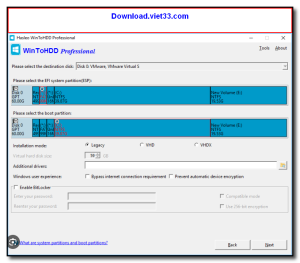
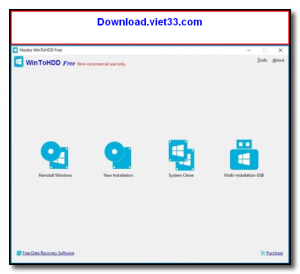
- Launch WinToHDD and select your task: Install, Reinstall, Clone, or Windows To Go.
- Select your Windows ISO source and target drive.
- Click “Next” and follow the wizard — WinToHDD will handle the rest.
Frequently Asked Questions about WinToHDD
Is WinToHDD free?
WinToHDD offers a free trial period. Full features may require a paid license.
What are the system requirements for WinToHDD?
Minimum requirements: Windows7,8,10,11. A modern PC with at least 2GB RAM is recommended.
What is the latest version of WinToHDD?
The latest version is 6.8.0, updated on 20/12/2025.
Is WinToHDD safe to download?
Yes. All software listed on download.viet33.com is sourced directly from the official developer and verified before publishing. No bundled adware or malware.
Does WinToHDD work on Windows 11?
Yes, WinToHDD is compatible with Windows7,8,10,11, including Windows 11.
 Download DesktopCalendar 2.3.108.5601
87 Downloads
Download DesktopCalendar 2.3.108.5601
87 Downloads
 Download Hard Disk Sentinel 6.40
73 Downloads
Download Hard Disk Sentinel 6.40
73 Downloads
 Download Windows 10
57 Downloads
Download Windows 10
57 Downloads
 Download HWMonitor 1.66
95 Downloads
Download HWMonitor 1.66
95 Downloads
 Download KeyTweak 2.3.0
64 Downloads
Download KeyTweak 2.3.0
64 Downloads


