
Winbox-Mac is a native macOS wrapper application that allows network administrators to run the official MikroTik Winbox utility on Apple computers without needing Windows or Wine. It packages Winbox inside a macOS-compatible environment, giving Mac users full access to MikroTik router management directly from their desktop.
MikroTik’s Winbox is the de facto standard GUI tool for configuring RouterOS devices, providing access to all router settings including interfaces, firewall rules, routing tables, VPN configuration, bandwidth queues, and more. Winbox-Mac brings this power to macOS users who previously had to rely on workarounds or virtual machines to run the tool.
The application is easy to install — just download, open, and connect to your MikroTik device by IP or MAC address. It supports all RouterOS versions and maintains full feature parity with the Windows Winbox client.
Key Features
- Run MikroTik Winbox natively on macOS without Wine, Parallels, or a VM.
- Full access to all RouterOS configuration options: firewall, routing, VPN, queues, and more.
- Connect to MikroTik devices by IP address or MAC address on the local network.
- Supports all RouterOS versions and device types including hAP, CCR, RB series, and more.
- Retains all Winbox sessions and saved router connections between launches.
- Lightweight wrapper with minimal overhead — works on Intel and Apple Silicon Macs.
- Free to use — no license required beyond a valid MikroTik RouterOS installation.
How to Install
- Download the Winbox-Mac DMG or ZIP file from the link below.
- Open the DMG and drag Winbox-Mac.app to your Applications folder, or extract the ZIP.
- Launch the app — if macOS blocks it, go to System Settings → Privacy & Security and click Open Anyway.
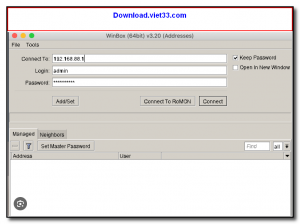
- In the Winbox connection dialog, enter your MikroTik router’s IP or MAC address, username, and password.
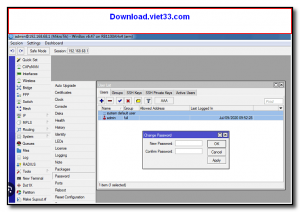
- Click Connect to open the full Winbox management interface for your router.
Frequently Asked Questions about Winbox-Mac – MikroTik Router Manager for macOS
Is Winbox-Mac – MikroTik Router Manager for macOS free?
Winbox-Mac – MikroTik Router Manager for macOS is completely free to download and use — no registration or payment required.
What are the system requirements for Winbox-Mac – MikroTik Router Manager for macOS?
Minimum requirements: Mac Os. A modern PC with at least 2GB RAM is recommended.
What is the latest version of Winbox-Mac – MikroTik Router Manager for macOS?
The latest version is 3.42.0, updated on 06/10/2025.
Is Winbox-Mac – MikroTik Router Manager for macOS safe to download?
Yes. All software listed on download.viet33.com is sourced directly from the official developer and verified before publishing. No bundled adware or malware.
Does Winbox-Mac – MikroTik Router Manager for macOS work on Windows 11?
Yes, Winbox-Mac – MikroTik Router Manager for macOS is compatible with Mac Os, including Windows 11.
 Download DesktopCalendar 2.3.108.5601
87 Downloads
Download DesktopCalendar 2.3.108.5601
87 Downloads
 Download Hard Disk Sentinel 6.40
73 Downloads
Download Hard Disk Sentinel 6.40
73 Downloads
 Download Windows 10
57 Downloads
Download Windows 10
57 Downloads
 Download HWMonitor 1.66
95 Downloads
Download HWMonitor 1.66
95 Downloads
 Download KeyTweak 2.3.0
64 Downloads
Download KeyTweak 2.3.0
64 Downloads


