
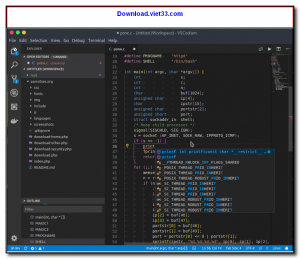
VSCodium is a free, open-source binary distribution of Microsoft’s Visual Studio Code editor, built directly from the open-source VS Code repository without Microsoft’s proprietary branding, telemetry, and tracking. It offers the same powerful editing experience as VS Code — including IntelliSense, debugging, Git integration, and extensions — while respecting user privacy by removing all telemetry and data collection.
Microsoft’s official VS Code builds include telemetry that sends usage data back to Microsoft by default. VSCodium compiles the identical open-source codebase but strips out all tracking, licensing restrictions, and proprietary components, resulting in a truly open-source editor licensed under the MIT license. For users and organizations with strict data privacy requirements, VSCodium is the preferred alternative.
VSCodium is compatible with the Open VSX Registry for extensions (an open-source alternative to the Microsoft VS Code Marketplace), and can also be configured to use the official Microsoft Marketplace. It supports all the same languages, debuggers, and productivity features as VS Code, making the switch seamless for existing VS Code users.
Key Features
- Full VS Code feature set: IntelliSense, debugging, Git integration, and extension support.
- Zero telemetry, zero tracking, zero Microsoft proprietary components.
- MIT licensed — truly open source with no usage restrictions.
- Compatible with Open VSX Registry for community extensions without Microsoft account.
- Supports all programming languages via extensions: Python, JavaScript, C++, Java, Go, and more.
- Integrated terminal, live share, remote development, and all VS Code themes and keybindings.
- Available for Windows, macOS, and Linux in multiple package formats.
How to Install
- Download the VSCodium installer for your operating system from the link below.
- On Windows, run the .exe installer and follow the setup wizard.
- On Linux, install via package manager or download the .deb, .rpm, or AppImage.
- On macOS, open the .dmg and drag VSCodium to your Applications folder.
- Launch VSCodium and install extensions from the Open VSX Marketplace via the Extensions sidebar.
 Download AutoIt
19665 Downloads
Download AutoIt
19665 Downloads
 Download Construct 2
19565 Downloads
Download Construct 2
19565 Downloads
 Download AEdiX Suite
20251 Downloads
Download AEdiX Suite
20251 Downloads
 Download UltraEdit
19972 Downloads
Download UltraEdit
19972 Downloads
 Download SciTE
21226 Downloads
Download SciTE
21226 Downloads



