
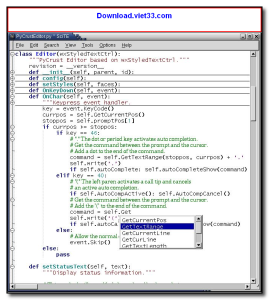
Download SciTE and enjoy a fast, lightweight source code editor with syntax highlighting for dozens of programming languages. SciTE (SCIntilla based Text Editor) is a free, open-source code editor built on the powerful Scintilla editing component, offering a clean, no-frills interface that loads instantly and handles large files without lag.
SciTE supports syntax highlighting for C, C++, Python, JavaScript, HTML, CSS, PHP, Lua, and many more languages. Its highly configurable properties files let you customize nearly every aspect of the editor — from colors and fonts to keyboard shortcuts and build commands — without any GUI menus required.
Whether you’re editing scripts, writing quick code snippets, or need a reliable code editor that starts in under a second, Download SciTE delivers the speed and simplicity that programmers and developers rely on every day.
Key Features of SciTE
- Syntax highlighting for 50+ programming and scripting languages
- Built on the Scintilla editing component for fast, responsive text handling
- Code folding to collapse and expand function blocks and regions
- Integrated build and run support for compiling and executing code
- Find and replace with regular expression support
- Highly configurable via simple .properties files — no GUI menus needed
- Portable version available — runs without installation
How to Install SciTE
- Click the download button below to get the SciTE installer.
- Run the setup file and follow the on-screen installation wizard.
- Accept the license agreement and choose your installation directory.
- Launch SciTE from your desktop or Start menu.
- Enjoy using SciTE!
 Download AutoIt
19656 Downloads
Download AutoIt
19656 Downloads
 Download Construct 2
19562 Downloads
Download Construct 2
19562 Downloads
 Download AEdiX Suite
20246 Downloads
Download AEdiX Suite
20246 Downloads
 Download UltraEdit
19968 Downloads
Download UltraEdit
19968 Downloads
 Download OpenGL
6019 Downloads
Download OpenGL
6019 Downloads



