
Volatility is a free, open-source advanced memory forensics framework used by digital forensic investigators, malware analysts, and incident responders to extract digital artifacts from volatile memory (RAM) dumps. It is the industry-standard tool for memory analysis, capable of examining memory images from Windows, Linux, and macOS systems.
With Volatility, analysts can identify running processes, open network connections, loaded kernel modules, registry hives, and even extract encryption keys or malware artifacts that only exist in RAM. Because RAM is volatile and erased on shutdown, tools like Volatility are essential for capturing evidence before it disappears.
Volatility 3 is the current version, rewritten to eliminate the need for OS-specific profiles that were required in Volatility 2. It features an extensible plugin architecture with hundreds of built-in and community plugins covering everything from rootkit detection to browser history extraction.
Key Features
- Extracts processes, DLLs, network connections, and handles from memory dumps
- Supports Windows, Linux, and macOS memory images
- Hundreds of plugins for malware analysis, rootkit detection, and artifact extraction
- No OS profile required in Volatility 3 — automatic symbol detection
- Extracts files, registry hives, and browser data from RAM
- Extensible plugin framework for custom analysis workflows
- Free and open-source under the Volatility Software License
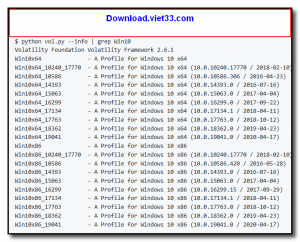
How to Install
- Ensure Python 3.8 or later is installed on your system.
- Click the download button or install via pip:
pip install volatility3 - Alternatively, clone the repository:
git clone https://github.com/volatilityfoundation/volatility3.git - Acquire a memory dump from your target system using a tool like WinPmem, LiME, or a forensic imager.
- Run Volatility against the dump:
python vol.py -f memory.dmp windows.pslistto list processes and begin your analysis.
Frequently Asked Questions about Volatility
Is Volatility free?
Volatility is completely free to download and use — no registration or payment required.
What are the system requirements for Volatility?
Minimum requirements: Windows7,8,10,11. A modern PC with at least 2GB RAM is recommended.
What is the latest version of Volatility?
The latest version is 2.6, updated on 13/11/2025.
Is Volatility safe to download?
Yes. All software listed on download.viet33.com is sourced directly from the official developer and verified before publishing. No bundled adware or malware.
Does Volatility work on Windows 11?
Yes, Volatility is compatible with Windows7,8,10,11, including Windows 11.
 Download DesktopCalendar 2.3.108.5601
87 Downloads
Download DesktopCalendar 2.3.108.5601
87 Downloads
 Download Hard Disk Sentinel 6.40
73 Downloads
Download Hard Disk Sentinel 6.40
73 Downloads
 Download Windows 10
57 Downloads
Download Windows 10
57 Downloads
 Download HWMonitor 1.66
95 Downloads
Download HWMonitor 1.66
95 Downloads
 Download KeyTweak 2.3.0
64 Downloads
Download KeyTweak 2.3.0
64 Downloads


