
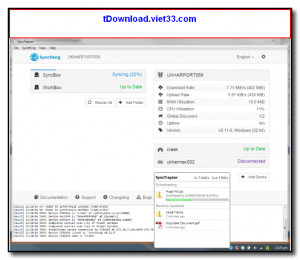
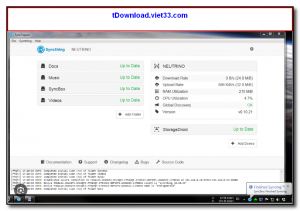
SyncTrayzor is a Windows host for Syncthing — the popular open-source, decentralized file synchronization tool. It wraps Syncthing in a convenient Windows system tray application, adding features like automatic startup, a built-in browser for the Syncthing web UI, file conflict resolution alerts, and folder watching that are missing from the raw Syncthing executable.
Syncthing (and by extension SyncTrayzor) synchronizes files between two or more devices directly, without routing data through any central cloud server. Your files are sent peer-to-peer, encrypted in transit using TLS, and never stored on a third-party server. This makes SyncTrayzor the ideal solution for users who want Dropbox-like sync without giving up privacy or paying for cloud storage.
SyncTrayzor makes the Syncthing experience seamless on Windows: it starts with Windows, lives in your system tray, and provides notifications when syncing is in progress or when conflicts arise — all without needing to manually manage the Syncthing process.
Key Features
- Hosts Syncthing as a Windows tray application with auto-start on login
- Built-in Chromium-based browser for the Syncthing web interface — no external browser needed
- Notifications for sync progress, errors, and file conflicts
- Direct peer-to-peer sync with no cloud server — your data stays on your devices
- TLS-encrypted transfers for secure file synchronization over any network
- Conflict file detection and easy resolution from the tray interface
- Free and open-source, compatible with Syncthing on all other platforms
How to Install
- Click the download button below to get the SyncTrayzor installer for Windows.
- Run the .exe installer — SyncTrayzor and Syncthing are bundled together, no separate download needed.
- SyncTrayzor launches automatically and starts Syncthing, opening the web UI in its built-in browser.
- Add the folders you want to sync and share them with your other devices using their Syncthing Device IDs.
- Accept the sharing invitation on the other device and syncing begins automatically.
Frequently Asked Questions about SyncTrayzor – Windows Tray Host for Syncthing File Synchronization
Is SyncTrayzor – Windows Tray Host for Syncthing File Synchronization free?
SyncTrayzor – Windows Tray Host for Syncthing File Synchronization is completely free to download and use — no registration or payment required.
What are the system requirements for SyncTrayzor – Windows Tray Host for Syncthing File Synchronization?
Minimum requirements: Windows7,8,10,11. A modern PC with at least 2GB RAM is recommended.
What is the latest version of SyncTrayzor – Windows Tray Host for Syncthing File Synchronization?
The latest version is 1.1.29.0, updated on 24/10/2025.
Is SyncTrayzor – Windows Tray Host for Syncthing File Synchronization safe to download?
Yes. All software listed on download.viet33.com is sourced directly from the official developer and verified before publishing. No bundled adware or malware.
Does SyncTrayzor – Windows Tray Host for Syncthing File Synchronization work on Windows 11?
Yes, SyncTrayzor – Windows Tray Host for Syncthing File Synchronization is compatible with Windows7,8,10,11, including Windows 11.
 Download DesktopCalendar 2.3.108.5601
87 Downloads
Download DesktopCalendar 2.3.108.5601
87 Downloads
 Download Hard Disk Sentinel 6.40
73 Downloads
Download Hard Disk Sentinel 6.40
73 Downloads
 Download Windows 10
57 Downloads
Download Windows 10
57 Downloads
 Download HWMonitor 1.66
95 Downloads
Download HWMonitor 1.66
95 Downloads
 Download KeyTweak 2.3.0
64 Downloads
Download KeyTweak 2.3.0
64 Downloads


