
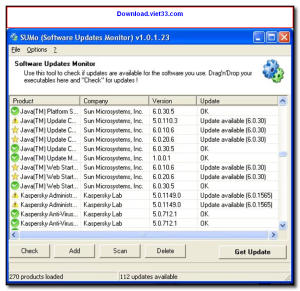
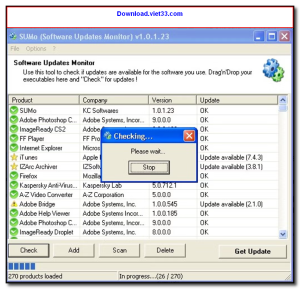
Download SUMo (Software Update Monitor) and keep all your installed applications up to date automatically. SUMo scans your Windows PC for outdated software and alerts you when newer versions are available, helping you stay protected against security vulnerabilities and enjoy the latest features.
Unlike Windows Update, SUMo monitors third-party applications — including browsers, media players, utilities, and productivity tools. It checks against a continuously updated online database to ensure you always have the most current version of every program installed on your system.
With its clean interface and one-click update notifications, Download SUMo takes the hassle out of manually checking for software updates. It’s an essential tool for keeping your Windows PC secure, stable, and performing at its best.
Key Features of SUMo
- Automatically detects outdated software across your entire Windows installation
- Monitors thousands of third-party applications not covered by Windows Update
- Real-time database with the latest version information for thousands of programs
- One-click access to download the latest version of any outdated app
- Lightweight scanner that runs quickly without slowing down your system
- Portable version available — no installation required
- Supports both 32-bit and 64-bit Windows systems
How to Install SUMo
- Click the download button below to get the SUMo installer.
- Run the setup file and follow the on-screen installation wizard.
- Accept the license agreement and choose your installation directory.
- Launch SUMo from your desktop or Start menu.
- Enjoy using SUMo!
 Download PC Health Check
55561 Downloads
Download PC Health Check
55561 Downloads
 Download HiBit Uninstaller
22681 Downloads
Download HiBit Uninstaller
22681 Downloads
 Download Bitwar Data Recovery
24190 Downloads
Download Bitwar Data Recovery
24190 Downloads
 Download Autorun Organizer
23595 Downloads
Download Autorun Organizer
23595 Downloads
 Download System Ninja
9261 Downloads
Download System Ninja
9261 Downloads



