
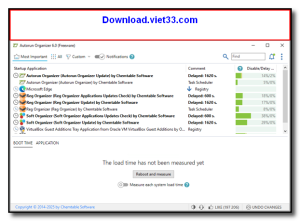
Download Autorun Organizer and take control of your Windows startup programs to speed up boot times and improve system performance. Autorun Organizer provides a clear, organized view of all programs that launch automatically with Windows, letting you disable, delay, or remove unnecessary startup entries with ease.
Unlike the basic Windows Task Manager startup tab, Autorun Organizer gives you detailed information about each startup entry including its impact on boot time, file location, publisher, and description. It even provides recommendations on which programs are safe to disable.
Whether your PC is taking too long to boot or you simply want to keep startup clutter under control, Download Autorun Organizer is the smart, user-friendly solution for optimizing your Windows startup experience.
Key Features of Autorun Organizer
- View and manage all startup programs with detailed impact ratings
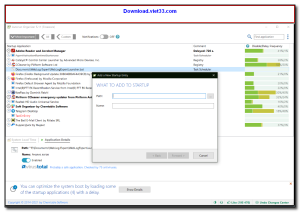
- Disable or delay startup entries to speed up Windows boot time
- Publisher verification and file information for each startup item
- Recommendations on which startup programs are safe to disable
- Startup delay feature to launch non-essential apps after boot completes
- System restore point creation before making changes for safety
- Lightweight tool with minimal system resource usage
How to Install Autorun Organizer
- Click the download button below to get the Autorun Organizer installer.
- Run the setup file and follow the on-screen installation wizard.
- Accept the license agreement and choose your installation directory.
- Launch Autorun Organizer from your desktop or Start menu.
- Enjoy using Autorun Organizer!
 Download PC Health Check
55561 Downloads
Download PC Health Check
55561 Downloads
 Download HiBit Uninstaller
22681 Downloads
Download HiBit Uninstaller
22681 Downloads
 Download Bitwar Data Recovery
24190 Downloads
Download Bitwar Data Recovery
24190 Downloads
 Download SUMo
23933 Downloads
Download SUMo
23933 Downloads
 Download System Ninja
9261 Downloads
Download System Ninja
9261 Downloads



