
nLite is a powerful Windows customization tool that lets you create a slimmed-down, personalized Windows installation by removing components you don’t need. By stripping out unused features, languages, and services, you can create a leaner, faster Windows setup that boots quicker and uses fewer system resources.
With nLite, you can integrate service packs, hotfixes, and drivers directly into your Windows installation disc, apply unattended setup settings, and remove components like Internet Explorer, Windows Media Player, or other built-in tools. The result is a custom ISO ready to burn or deploy.
nLite is particularly popular among advanced users and IT professionals who want to create optimized, lightweight Windows installations for older hardware or specific use cases.
Key Features
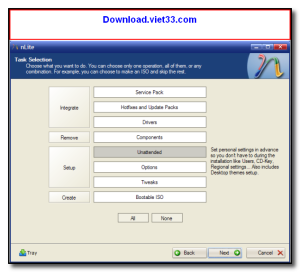
- Remove unwanted Windows components to create a lightweight installation
- Integrate service packs, hotfixes, and drivers into the setup disc
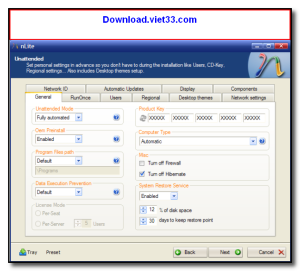
- Configure unattended installation settings to automate Windows setup
- Add custom tweaks and registry settings to the installation
- Create bootable ISO images ready to burn or use with USB tools
- Session save and load to reuse your customization profile
- Simple wizard-based interface with component risk indicators
How to Install
- Click the download button above to get the nLite installer.
- Run the setup and follow the on-screen instructions to install.
- Launch nLite and point it to your Windows installation source (CD/DVD or folder).
- Select the components to remove, integrate hotfixes, and apply tweaks.
- Click “Make ISO” to generate your customized Windows installation image.
Frequently Asked Questions about nLite
Is nLite free?
nLite is completely free to download and use — no registration or payment required.
What are the system requirements for nLite?
Minimum requirements: Windows7,8,10,11. A modern PC with at least 2GB RAM is recommended.
What is the latest version of nLite?
The latest version is 1.4.9.3, updated on 29/12/2025.
Is nLite safe to download?
Yes. All software listed on download.viet33.com is sourced directly from the official developer and verified before publishing. No bundled adware or malware.
Does nLite work on Windows 11?
Yes, nLite is compatible with Windows7,8,10,11, including Windows 11.
 Download DesktopCalendar 2.3.108.5601
87 Downloads
Download DesktopCalendar 2.3.108.5601
87 Downloads
 Download Hard Disk Sentinel 6.40
73 Downloads
Download Hard Disk Sentinel 6.40
73 Downloads
 Download Windows 10
57 Downloads
Download Windows 10
57 Downloads
 Download HWMonitor 1.66
95 Downloads
Download HWMonitor 1.66
95 Downloads
 Download KeyTweak 2.3.0
64 Downloads
Download KeyTweak 2.3.0
64 Downloads


