
FreeFileSync is a free, open-source folder comparison and file synchronization tool that helps you keep your files backed up and synchronized between two or more locations. Whether you are syncing between local folders, external drives, or network shares, FreeFileSync makes it fast and reliable.
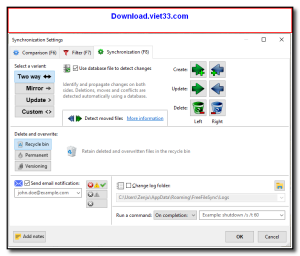
FreeFileSync visually compares source and destination folders, highlights differences, and lets you choose exactly which files to synchronize. It supports mirror, two-way, and custom sync modes, giving you full control over how your data is kept in sync. Real-time sync and scheduled sync are also supported for automated backups.
With its clean interface, detailed progress reports, and robust error handling, FreeFileSync is trusted by millions of users for daily backups and file synchronization tasks across Windows, macOS, and Linux.
Key Features
- Visual folder comparison with color-coded difference highlighting
- Mirror, two-way, and custom synchronization modes
- Real-time synchronization to instantly sync file changes as they happen
- Batch sync multiple folder pairs in a single run
- Versioning support to keep backups of overwritten or deleted files
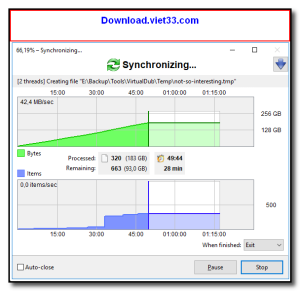
- Detailed sync log and error reporting for each operation
- Cross-platform: Windows, macOS, and Linux
How to Install
- Click the download button above to get the FreeFileSync installer.
- Run the setup file and follow the on-screen instructions to install.
- Launch FreeFileSync and add your source and destination folder pairs.
- Click “Compare” to see differences between the folders.
- Click “Synchronize” to apply the changes and keep your folders in sync.
 Download UniKey 4.6 RC2
7 Downloads
Download UniKey 4.6 RC2
7 Downloads
 Download PC Health Check
55874 Downloads
Download PC Health Check
55874 Downloads
 Download HiBit Uninstaller
22804 Downloads
Download HiBit Uninstaller
22804 Downloads
 Download Bitwar Data Recovery
24286 Downloads
Download Bitwar Data Recovery
24286 Downloads
 Download SUMo
23988 Downloads
Download SUMo
23988 Downloads


