
Eric is a full-featured, free, and open-source Python IDE built on top of the Qt framework and the PyQt bindings. It is designed for professional Python and Ruby developers who need a powerful, customizable development environment with integrated debugging, project management, and advanced code editing capabilities — all without the overhead of commercial IDEs.
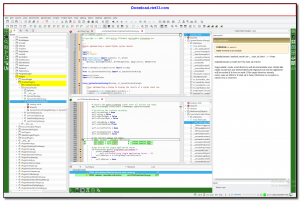
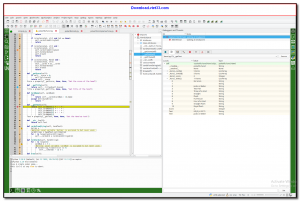
Eric provides a rich editing environment powered by Scintilla/QScintilla, offering syntax highlighting, code folding, auto-completion, and call tips for Python, Ruby, and other languages. Its integrated debugger supports breakpoints, step execution, variable inspection, and remote debugging, making it suitable for both simple scripts and complex application development.
Beyond the editor, Eric includes a project manager, integrated unit testing with PyUnit and pytest, version control integration (Git, Mercurial, Subversion), a plugin system for extensibility, and a built-in web browser. It is cross-platform and runs on Windows, Linux, and macOS.
Key Features
- Full-featured Python and Ruby IDE with syntax highlighting, code folding, and auto-completion.
- Integrated debugger with breakpoints, step execution, and variable inspection.
- Project manager for organizing files, dependencies, and build configurations.
- Integrated unit testing support for PyUnit, pytest, and other frameworks.
- Version control integration with Git, Mercurial, and Subversion.
- Extensible plugin architecture with a built-in plugin manager and repository.
- Cross-platform: runs on Windows, Linux, and macOS — free under the GPL license.
How to Install
- Ensure Python 3.x and PyQt5 or PyQt6 are installed on your system.
- Download the Eric IDE package from the link below.
- Extract the archive and run python install.py to install Eric and its dependencies.
- Launch Eric by running eric7 (or eric6) from the command line or the created shortcut.
- Create a new project via Project → New and start coding in the integrated editor.
 Download AutoIt
19683 Downloads
Download AutoIt
19683 Downloads
 Download Construct 2
19585 Downloads
Download Construct 2
19585 Downloads
 Download AEdiX Suite
20267 Downloads
Download AEdiX Suite
20267 Downloads
 Download UltraEdit
19983 Downloads
Download UltraEdit
19983 Downloads
 Download SciTE
21234 Downloads
Download SciTE
21234 Downloads



