
dupeGuru is a free, open-source duplicate file finder for Windows, macOS, and Linux. It quickly scans your folders for duplicate files and helps you decide which copies to delete, freeing up valuable disk space. It goes beyond simple byte-for-byte comparison, using fuzzy matching algorithms to find files that are similar but not identical — particularly powerful for music and photo collections.
dupeGuru comes in three scanning modes: Standard (for any file type by content hash), Music (matches audio files by metadata tags like artist and album), and Picture (detects visually similar images even if they differ in resolution, format, or minor edits). Each mode is tuned for its specific type of content, giving you smarter, more relevant results.
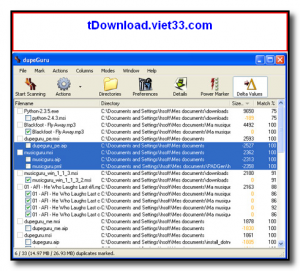
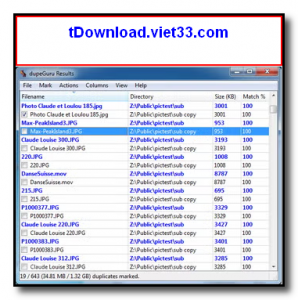
The results view lets you review all matches, mark files for deletion, and apply filters before committing any changes. Files can be moved to a custom folder or sent to the Recycle Bin, making the process reversible and safe.
Key Features
- Finds duplicate files by content hash, music tags, or visual similarity
- Three specialized modes: Standard, Music, and Picture for targeted scanning
- Fuzzy matching detects near-duplicate music and visually similar photos
- Supports scanning multiple folders simultaneously including external drives
- Safe deletion — move duplicates to a custom folder or send to Recycle Bin
- Filter and sort results by filename, size, folder, or match percentage
- Cross-platform — available for Windows, macOS, and Linux
How to Install
- Click the download button below to get dupeGuru for your operating system.
- On Windows, run the installer and follow the setup steps.
- On macOS, open the .dmg and drag dupeGuru to your Applications folder.
- On Linux, install via your package manager or download the AppImage.
- Launch dupeGuru, add the folders to scan, select the scan mode, and click Scan to find duplicates.
Frequently Asked Questions about dupeGuru – Free Duplicate File Finder for Windows, Mac, and Linux
Is dupeGuru – Free Duplicate File Finder for Windows, Mac, and Linux free?
dupeGuru – Free Duplicate File Finder for Windows, Mac, and Linux is completely free to download and use — no registration or payment required.
What are the system requirements for dupeGuru – Free Duplicate File Finder for Windows, Mac, and Linux?
Minimum requirements: Windows7,8,10,11. A modern PC with at least 2GB RAM is recommended.
What is the latest version of dupeGuru – Free Duplicate File Finder for Windows, Mac, and Linux?
The latest version is 4.3.1, updated on 20/10/2025.
Is dupeGuru – Free Duplicate File Finder for Windows, Mac, and Linux safe to download?
Yes. All software listed on download.viet33.com is sourced directly from the official developer and verified before publishing. No bundled adware or malware.
Does dupeGuru – Free Duplicate File Finder for Windows, Mac, and Linux work on Windows 11?
Yes, dupeGuru – Free Duplicate File Finder for Windows, Mac, and Linux is compatible with Windows7,8,10,11, including Windows 11.
 Download DesktopCalendar 2.3.108.5601
87 Downloads
Download DesktopCalendar 2.3.108.5601
87 Downloads
 Download Hard Disk Sentinel 6.40
73 Downloads
Download Hard Disk Sentinel 6.40
73 Downloads
 Download Windows 10
57 Downloads
Download Windows 10
57 Downloads
 Download HWMonitor 1.66
95 Downloads
Download HWMonitor 1.66
95 Downloads
 Download KeyTweak 2.3.0
64 Downloads
Download KeyTweak 2.3.0
64 Downloads


