
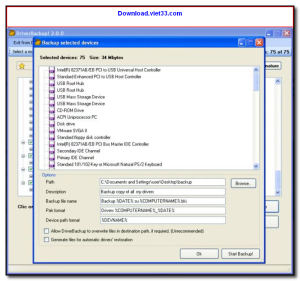
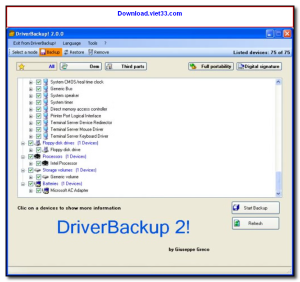
Download DriverBackup and safeguard all your Windows device drivers with a simple, reliable backup and restore solution. DriverBackup automatically scans your system and saves a complete copy of every installed driver, so you can quickly restore them after a Windows reinstall, system crash, or hardware upgrade.
Finding and reinstalling drivers manually after a fresh Windows installation can take hours. DriverBackup eliminates this problem by keeping a compressed backup of all your drivers in one place — ready to restore with just a few clicks, even without an internet connection.
Whether you’re preparing for a system reinstall, migrating to new hardware, or just want peace of mind, Download DriverBackup is the essential tool for keeping your driver library safe and readily available.
Key Features of DriverBackup
- Automatic scan and backup of all installed Windows device drivers
- One-click restore to reinstall all drivers after a Windows reinstall
- Compressed backup files to save disk space
- Works offline — no internet connection needed for restoration
- Supports all driver types including graphics, audio, network, and chipset
- Export drivers to an external drive or USB for portable storage
- Simple, lightweight interface with no technical knowledge required
How to Install DriverBackup
- Click the download button below to get the DriverBackup installer.
- Run the setup file and follow the on-screen installation wizard.
- Accept the license agreement and choose your installation directory.
- Launch DriverBackup from your desktop or Start menu.
- Enjoy using DriverBackup!
Frequently Asked Questions about DriverBackup
Is DriverBackup free?
DriverBackup is completely free to download and use — no registration or payment required.
What are the system requirements for DriverBackup?
Minimum requirements: Windows7,8,10,11. A modern PC with at least 2GB RAM is recommended.
What is the latest version of DriverBackup?
The latest version is 2.1, updated on 16/01/2026.
Is DriverBackup safe to download?
Yes. All software listed on download.viet33.com is sourced directly from the official developer and verified before publishing. No bundled adware or malware.
Does DriverBackup work on Windows 11?
Yes, DriverBackup is compatible with Windows7,8,10,11, including Windows 11.
 Download DesktopCalendar 2.3.108.5601
87 Downloads
Download DesktopCalendar 2.3.108.5601
87 Downloads
 Download Hard Disk Sentinel 6.40
73 Downloads
Download Hard Disk Sentinel 6.40
73 Downloads
 Download Windows 10
57 Downloads
Download Windows 10
57 Downloads
 Download HWMonitor 1.66
95 Downloads
Download HWMonitor 1.66
95 Downloads
 Download KeyTweak 2.3.0
64 Downloads
Download KeyTweak 2.3.0
64 Downloads


