
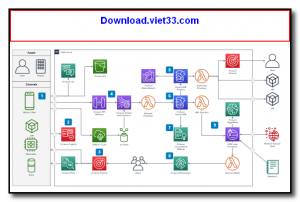
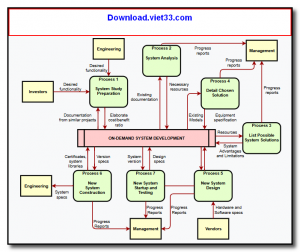
draw.io Desktop is the offline, open-source desktop application version of the popular draw.io (now known as diagrams.net) diagramming tool. It brings the full power of the web-based diagram editor to your desktop, allowing you to create flowcharts, network diagrams, UML diagrams, entity-relationship diagrams, org charts, mind maps, and more — completely offline without a browser.
Built with Electron, draw.io Desktop offers the same rich feature set as the web version including a vast shape library, smart connectors, custom styling, layers, and export options — while adding the benefits of native desktop performance and local file storage. Your diagrams are saved as XML files that can be opened anywhere draw.io is available.
draw.io Desktop integrates with popular platforms including Confluence, Jira, GitHub, and Google Drive, and supports export to PNG, SVG, PDF, HTML, and XML formats. It is trusted by millions of developers, architects, and business analysts worldwide for technical documentation and visual communication.
Key Features
- Full offline diagram editor — no browser or internet connection required.
- Extensive shape library covering flowcharts, UML, network, BPMN, ER diagrams, and more.
- Smart connectors with auto-routing and customizable arrow styles.
- Layers and grouping for organizing complex diagrams.
- Export to PNG, SVG, PDF, HTML, and XML formats.
- Import Visio (.vsdx), Lucidchart, and other diagram format files.
- Cross-platform: available for Windows, macOS, and Linux — free and open source.
How to Install
- Download the draw.io Desktop installer for your operating system from the link below.
- On Windows, run the .exe installer and follow the setup wizard.
- On macOS, open the .dmg file and drag draw.io to your Applications folder.
- On Linux, use the .AppImage (make it executable with chmod +x) or install the .deb/.rpm package.
- Launch draw.io Desktop and start creating diagrams — files are saved locally as .drawio XML files.
Frequently Asked Questions about draw.io Desktop – Free Offline Diagram and Flowchart Editor
Is draw.io Desktop – Free Offline Diagram and Flowchart Editor free?
draw.io Desktop – Free Offline Diagram and Flowchart Editor is completely free to download and use — no registration or payment required.
What are the system requirements for draw.io Desktop – Free Offline Diagram and Flowchart Editor?
Minimum requirements: Windows7,8,10,11. A modern PC with at least 2GB RAM is recommended.
What is the latest version of draw.io Desktop – Free Offline Diagram and Flowchart Editor?
The latest version is 28.1.2, updated on 25/09/2025.
Is draw.io Desktop – Free Offline Diagram and Flowchart Editor safe to download?
Yes. All software listed on download.viet33.com is sourced directly from the official developer and verified before publishing. No bundled adware or malware.
Does draw.io Desktop – Free Offline Diagram and Flowchart Editor work on Windows 11?
Yes, draw.io Desktop – Free Offline Diagram and Flowchart Editor is compatible with Windows7,8,10,11, including Windows 11.
 Download Foxit PDF Reader 2026.1.2
47 Downloads
Download Foxit PDF Reader 2026.1.2
47 Downloads
 Download Bluesofts AccHelper 3.1.0
46 Downloads
Download Bluesofts AccHelper 3.1.0
46 Downloads
 Download Microsoft Office 365 Professional Plus
46 Downloads
Download Microsoft Office 365 Professional Plus
46 Downloads
 Download Microsoft Excel 2016
51 Downloads
Download Microsoft Excel 2016
51 Downloads
 Download Adobe Reader XI 11.0.23
51 Downloads
Download Adobe Reader XI 11.0.23
51 Downloads


