
DirBuster is an open-source Java-based web security tool developed by OWASP that performs brute-force discovery of directories and files on web servers. By sending a large number of HTTP requests using customizable wordlists, DirBuster helps penetration testers and security administrators uncover hidden paths, backup files, admin panels, and other unlinked resources that may represent security risks.
Originally developed under the OWASP project, DirBuster has become a staple in web application security assessments. It supports multi-threaded scanning for speed, recursive directory discovery, and multiple request methods including GET and HEAD. Its graphical interface makes it accessible to both beginners and experienced security professionals.
DirBuster ships with extensive built-in wordlists covering common directory and file naming patterns, and supports custom user-supplied lists for targeted assessments. Results are displayed in real time in a tree view, showing the HTTP status codes, response sizes, and discovered paths.
Key Features
- Brute-force discovery of hidden directories and files on HTTP and HTTPS web servers.
- Multi-threaded engine for high-speed scanning with configurable thread count.
- Recursive scanning to discover nested subdirectories automatically.
- Supports GET and HEAD request methods for stealth scanning.
- Comes with OWASP-curated wordlists; also supports custom wordlist import.
- Real-time results tree showing HTTP status codes and response sizes per path.
- Pure Java implementation — runs on Windows, Linux, and macOS with Java installed.
How to Install
- Ensure Java Runtime Environment (JRE) 8 or later is installed on your system.
- Download the DirBuster JAR file from the link below.
- Open a terminal and run: java -jar DirBuster-*.jar
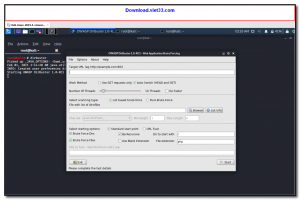
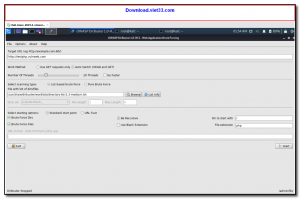
- In the GUI, enter the target URL, select a wordlist, configure threads, and click Start.
- Monitor results in the tree view and export findings when the scan is complete.
Frequently Asked Questions about DirBuster – Web Directory and File Brute Force Scanner
Is DirBuster – Web Directory and File Brute Force Scanner free?
DirBuster – Web Directory and File Brute Force Scanner is completely free to download and use — no registration or payment required.
What are the system requirements for DirBuster – Web Directory and File Brute Force Scanner?
Minimum requirements: Windows 7/10/11. A modern PC with at least 2GB RAM is recommended.
What is the latest version of DirBuster – Web Directory and File Brute Force Scanner?
The latest version is 0.12, updated on 06/10/2025.
Is DirBuster – Web Directory and File Brute Force Scanner safe to download?
Yes. All software listed on download.viet33.com is sourced directly from the official developer and verified before publishing. No bundled adware or malware.
Does DirBuster – Web Directory and File Brute Force Scanner work on Windows 11?
Yes, DirBuster – Web Directory and File Brute Force Scanner is compatible with Windows 7/10/11, including Windows 11.
 Download Foxit PDF Reader 2026.1.2
47 Downloads
Download Foxit PDF Reader 2026.1.2
47 Downloads
 Download Bluesofts AccHelper 3.1.0
46 Downloads
Download Bluesofts AccHelper 3.1.0
46 Downloads
 Download Microsoft Office 365 Professional Plus
46 Downloads
Download Microsoft Office 365 Professional Plus
46 Downloads
 Download Microsoft Excel 2016
51 Downloads
Download Microsoft Excel 2016
51 Downloads
 Download Adobe Reader XI 11.0.23
51 Downloads
Download Adobe Reader XI 11.0.23
51 Downloads


