
Bootstrap is the world’s most popular open-source CSS framework for building responsive, mobile-first websites and web applications. Originally created by Twitter engineers, Bootstrap provides a comprehensive collection of pre-built UI components, a powerful grid system, and utility classes that let developers build professional-looking websites in a fraction of the time it would take from scratch.
With Bootstrap, you get ready-to-use components including navigation bars, buttons, forms, modals, carousels, cards, tooltips, and dozens more — all styled consistently and designed to work across every modern browser and screen size. The 12-column responsive grid system automatically adapts layouts to mobile, tablet, and desktop viewports with minimal custom CSS required.
Bootstrap 5 is the latest major version, which dropped the jQuery dependency in favor of vanilla JavaScript, added new utility classes, improved the grid system, and introduced RTL (right-to-left) language support. It is the go-to starting point for web developers worldwide.
Key Features
- Responsive 12-column grid system that adapts to mobile, tablet, and desktop screen sizes
- Dozens of pre-built UI components: navbars, buttons, cards, modals, forms, alerts, and more
- Extensive utility classes for spacing, typography, colors, flexbox, and display control
- JavaScript plugins for interactive components (dropdowns, modals, tooltips, carousels)
- Sass variables and mixins for easy customization of colors, fonts, and component styles
- Bootstrap 5 is jQuery-free — built on modern vanilla JavaScript
- RTL support and accessible components following WAI-ARIA standards
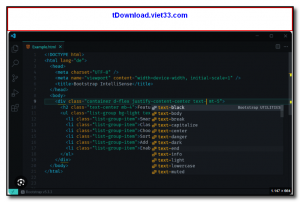
How to Install
- Click the download button below to get the Bootstrap CSS and JS files as a compiled package.
- Include the Bootstrap CSS in your HTML head:
<link rel="stylesheet" href="bootstrap.min.css"> - Add the Bootstrap JS bundle at the end of your body tag:
<script src="bootstrap.bundle.min.js"></script> - Alternatively, install via npm:
npm install bootstrapand import into your project. - Use Bootstrap classes in your HTML markup to apply the grid, components, and utilities instantly.
 Download AutoIt
19663 Downloads
Download AutoIt
19663 Downloads
 Download Construct 2
19564 Downloads
Download Construct 2
19564 Downloads
 Download AEdiX Suite
20250 Downloads
Download AEdiX Suite
20250 Downloads
 Download UltraEdit
19971 Downloads
Download UltraEdit
19971 Downloads
 Download SciTE
21225 Downloads
Download SciTE
21225 Downloads



