
Download AppRemover and completely uninstall security software including antivirus, antispyware, and firewall applications that refuse to uninstall through normal means. AppRemover is a specialized removal tool designed specifically for security products — handling the complex drivers, services, and registry entries that standard uninstallers often leave behind.
AppRemover supports removal of products from major security vendors including Norton, McAfee, Kaspersky, AVG, Avast, Bitdefender, and many more. It is especially useful when you need to switch antivirus software but the old product’s uninstaller is broken, corrupted, or incomplete.
Whether you’re troubleshooting security software conflicts, preparing a clean install of a new antivirus, or removing a stubborn security product that won’t uninstall, Download AppRemover provides a reliable, thorough solution for complete security software removal on Windows.
Key Features of AppRemover
- Specialized removal of antivirus, antispyware, and firewall software
- Supports 100+ major security products from Norton, McAfee, Kaspersky, AVG, and more
- Removes drivers, services, registry entries, and leftover files completely
- Works even when the standard uninstaller is broken or missing
- No installation required — runs as a portable executable
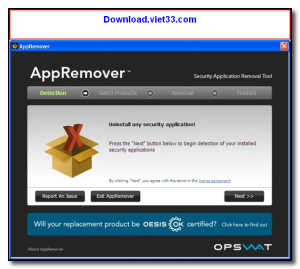
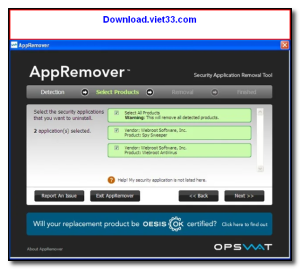
- Automatically detects installed security products for guided removal
- Safe and reversible — creates a system restore point before removal
How to Install AppRemover
- Click the download button below to get the AppRemover executable.
- Run the file directly — no installation wizard required.
- Select the security product you want to remove from the detected list.
- Follow the guided removal process and restart when prompted.
- Enjoy using AppRemover!
Frequently Asked Questions about AppRemover
Is AppRemover free?
AppRemover is completely free to download and use — no registration or payment required.
What are the system requirements for AppRemover?
Minimum requirements: Windows7,8,10,11. A modern PC with at least 2GB RAM is recommended.
What is the latest version of AppRemover?
The latest version is 3.1.34, updated on 10/01/2026.
Is AppRemover safe to download?
Yes. All software listed on download.viet33.com is sourced directly from the official developer and verified before publishing. No bundled adware or malware.
Does AppRemover work on Windows 11?
Yes, AppRemover is compatible with Windows7,8,10,11, including Windows 11.
 Download DesktopCalendar 2.3.108.5601
87 Downloads
Download DesktopCalendar 2.3.108.5601
87 Downloads
 Download Hard Disk Sentinel 6.40
73 Downloads
Download Hard Disk Sentinel 6.40
73 Downloads
 Download Windows 10
57 Downloads
Download Windows 10
57 Downloads
 Download HWMonitor 1.66
95 Downloads
Download HWMonitor 1.66
95 Downloads
 Download KeyTweak 2.3.0
64 Downloads
Download KeyTweak 2.3.0
64 Downloads


