
Apache JMeter is a free, open-source Java application designed to load-test functional behavior and measure performance of web applications, APIs, databases, and other services. Originally developed by Stefano Mazzocchi of the Apache Software Foundation, JMeter has become the industry-standard tool for performance testing, capable of simulating heavy concurrent user loads to identify bottlenecks before production deployment.
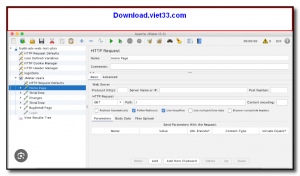
JMeter supports a wide range of protocols including HTTP, HTTPS, FTP, JDBC, LDAP, SOAP, REST, and more, making it suitable for testing virtually any networked application. Its graphical test plan editor allows testers to build complex test scenarios with thread groups, samplers, listeners, timers, assertions, and pre/post processors — all without writing code.
For CI/CD integration and large-scale testing, JMeter also offers a powerful command-line mode and supports distributed load generation across multiple machines. Extensive reporting options including real-time dashboards, response time graphs, throughput charts, and HTML reports help teams analyze test results comprehensively.
Key Features
- Load and performance testing for HTTP/HTTPS, REST APIs, SOAP, FTP, JDBC, LDAP, and more.
- Graphical test plan editor with thread groups, samplers, listeners, assertions, and timers.
- Distributed testing across multiple machines for large-scale load simulation.
- Real-time results dashboard with response time graphs, throughput, and error rate metrics.
- Extensible via plugins — hundreds of community plugins available for additional protocols and reporting.
- Command-line mode for headless execution and CI/CD pipeline integration.
- Cross-platform Java application — runs on Windows, Linux, and macOS.
How to Install
- Ensure Java 8 or later is installed on your system (java -version to check).
- Download the Apache JMeter ZIP archive from the link below.
- Extract the archive to your preferred location.
- On Windows, run bin/jmeter.bat; on Linux/macOS, run bin/jmeter.sh to launch the GUI.
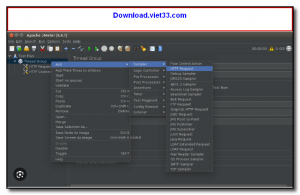
- Create a new test plan, add a Thread Group and HTTP Sampler, then click Run → Start to begin testing.
Frequently Asked Questions about Apache JMeter – Open Source Load and Performance Testing Tool
Is Apache JMeter – Open Source Load and Performance Testing Tool free?
Apache JMeter – Open Source Load and Performance Testing Tool is completely free to download and use — no registration or payment required.
What are the system requirements for Apache JMeter – Open Source Load and Performance Testing Tool?
Minimum requirements: Windows7,8,10,11. A modern PC with at least 2GB RAM is recommended.
What is the latest version of Apache JMeter – Open Source Load and Performance Testing Tool?
The latest version is 5.6.3, updated on 03/10/2025.
Is Apache JMeter – Open Source Load and Performance Testing Tool safe to download?
Yes. All software listed on download.viet33.com is sourced directly from the official developer and verified before publishing. No bundled adware or malware.
Does Apache JMeter – Open Source Load and Performance Testing Tool work on Windows 11?
Yes, Apache JMeter – Open Source Load and Performance Testing Tool is compatible with Windows7,8,10,11, including Windows 11.
 Download Foxit PDF Reader 2026.1.2
47 Downloads
Download Foxit PDF Reader 2026.1.2
47 Downloads
 Download Bluesofts AccHelper 3.1.0
46 Downloads
Download Bluesofts AccHelper 3.1.0
46 Downloads
 Download Microsoft Office 365 Professional Plus
46 Downloads
Download Microsoft Office 365 Professional Plus
46 Downloads
 Download Microsoft Excel 2016
51 Downloads
Download Microsoft Excel 2016
51 Downloads
 Download Adobe Reader XI 11.0.23
51 Downloads
Download Adobe Reader XI 11.0.23
51 Downloads


