
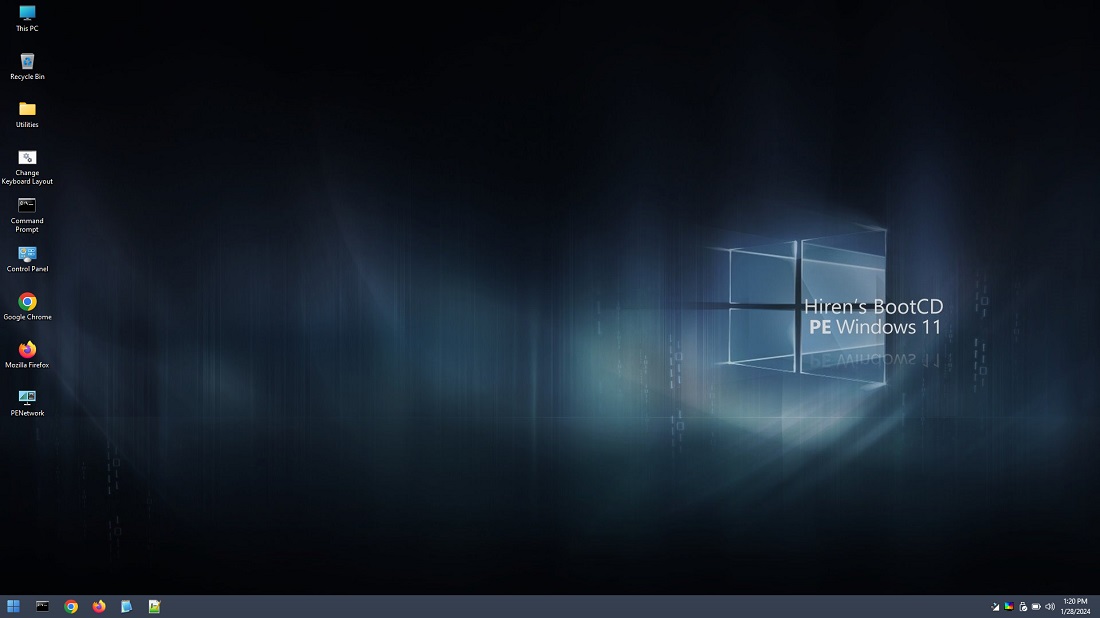
When Windows won’t boot and you need to fix it from the outside, the tool most technicians reach for is Hiren’s BootCD PE. Built on a modern Windows 11 PE base, this free bootable environment loads from a USB drive and gives you a full desktop packed with dozens of trusted recovery, diagnostic, and data-recovery utilities, all without touching the broken installation until you’re ready.
It’s a spiritual successor to the original Hiren’s BootCD, rebuilt by community volunteers to keep working on modern UEFI hardware. Home users and IT professionals alike keep a copy on a USB stick for exactly the moment a PC won’t start normally.
Key Features of Hiren’s BootCD PE
- Boots into a full Windows 11 PE desktop from USB with UEFI support
- Bundles disk imaging, partitioning, and cloning tools
- Includes password reset utilities for locked Windows accounts
- Malware scanning and removal tools that run outside the infected OS
- Data recovery utilities for pulling files off failing drives
- Registry and system file repair tools for boot problems
- Regularly updated by an active community of contributors
Screenshot / Demo
How to Install Hiren’s BootCD PE
- Click the download button to get the Hiren’s BootCD PE ISO file.
- Use a tool like Rufus to write the ISO onto a USB drive.
- Restart the target PC and boot from the USB drive (adjust boot order in BIOS/UEFI if needed).
- Select Hiren’s BootCD PE from the boot menu to load the recovery desktop.
- Enjoy using Hiren’s BootCD PE!
 Download HWMonitor 1.66
13 Downloads
Download HWMonitor 1.66
13 Downloads
 Download KeyTweak 2.3.0
13 Downloads
Download KeyTweak 2.3.0
13 Downloads
 Download Revo Uninstaller Portable 2.7.0
27 Downloads
Download Revo Uninstaller Portable 2.7.0
27 Downloads
 Download FurMark 2.10.2
29 Downloads
Download FurMark 2.10.2
29 Downloads
 Download CrystalDiskInfo 9.9.2
28 Downloads
Download CrystalDiskInfo 9.9.2
28 Downloads

