
Traefik is a free, open-source modern reverse proxy and load balancer designed for cloud-native environments. Its defining feature is automatic service discovery — when deployed alongside Docker, Kubernetes, or other orchestrators, Traefik automatically detects new services and configures routing rules without any manual intervention.
Traefik handles TLS certificate management via Let’s Encrypt out of the box, automatically obtaining and renewing HTTPS certificates for your services. Combined with its dynamic configuration model, this makes Traefik one of the easiest ways to expose containerized applications securely over HTTPS.
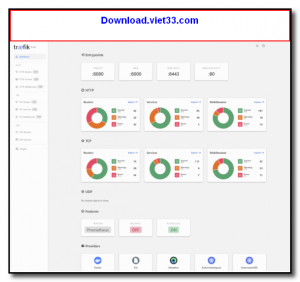
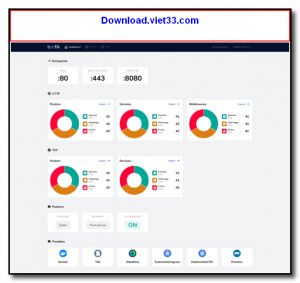
From small home lab setups with a few Docker containers to large-scale Kubernetes clusters, Traefik scales to fit any infrastructure. Its built-in dashboard provides a real-time view of routers, services, middleware, and their health status.
Key Features
- Automatic service discovery via Docker, Kubernetes, Consul, and more
- Automatic HTTPS with Let’s Encrypt certificate provisioning and renewal
- Dynamic configuration — no restart needed when services change
- Built-in dashboard for real-time monitoring of routes and backends
- Middleware support for rate limiting, authentication, redirects, and headers
- TCP and UDP routing in addition to HTTP/HTTPS
- Free and open-source under the MIT license
How to Install
- Click the download button to get the Traefik binary for your platform, or use the official Docker image.
- For Docker, add a Traefik service to your
docker-compose.ymlwith the required labels and volume mounts for the Docker socket. - Configure your
traefik.ymlor command-line flags to enable the Docker provider and Let’s Encrypt resolver. - Add labels to your other Docker services to define routing rules, e.g.,
traefik.http.routers.myapp.rule=Host("myapp.example.com"). - Start Traefik and it will automatically route traffic to your services with HTTPS enabled.
Frequently Asked Questions about Traefik
Is Traefik free?
Traefik is completely free to download and use — no registration or payment required.
What are the system requirements for Traefik?
Minimum requirements: Windows7,8,10,11. A modern PC with at least 2GB RAM is recommended.
What is the latest version of Traefik?
The latest version is 3.6.2, updated on 20/11/2025.
Is Traefik safe to download?
Yes. All software listed on download.viet33.com is sourced directly from the official developer and verified before publishing. No bundled adware or malware.
Does Traefik work on Windows 11?
Yes, Traefik is compatible with Windows7,8,10,11, including Windows 11.
 Download Foxit PDF Reader 2026.1.2
47 Downloads
Download Foxit PDF Reader 2026.1.2
47 Downloads
 Download Bluesofts AccHelper 3.1.0
46 Downloads
Download Bluesofts AccHelper 3.1.0
46 Downloads
 Download Microsoft Office 365 Professional Plus
46 Downloads
Download Microsoft Office 365 Professional Plus
46 Downloads
 Download Microsoft Excel 2016
51 Downloads
Download Microsoft Excel 2016
51 Downloads
 Download Adobe Reader XI 11.0.23
51 Downloads
Download Adobe Reader XI 11.0.23
51 Downloads


