
XMRig is a high-performance, open-source cryptocurrency miner optimized for the RandomX, KawPow, CryptoNight, and AstroBWT mining algorithms. It is the most widely used miner for Monero (XMR) and other CPU-friendly cryptocurrencies, known for its efficiency, speed, and cross-platform compatibility across Windows, Linux, and macOS.
Written in C++, XMRig supports both CPU and GPU mining (AMD and NVIDIA via OpenCL and CUDA), giving users flexibility to maximize their hardware’s mining output. Its configuration is straightforward through a JSON config file or command-line arguments, and it features built-in HTTP API support for monitoring and remote control.
XMRig is favored by individual miners and mining pool operators alike for its stability, low overhead, and frequent updates that keep pace with algorithm changes. It is completely free and open source under the GNU GPL v3 license.
Key Features
- Optimized for RandomX algorithm used by Monero (XMR) with industry-leading hash rates.
- Supports CPU, AMD GPU (OpenCL), and NVIDIA GPU (CUDA) mining.
- Cross-platform: runs on Windows, Linux, and macOS.
- Built-in HTTP API for real-time monitoring and remote management.
- Simple JSON-based configuration with support for multiple mining pools.
- Auto-tuning and thread optimization for maximum CPU utilization.
- Open source under GNU GPL v3 — free to use, modify, and distribute.
How to Install
- Download the XMRig ZIP archive for your operating system from the link below.
- Extract the archive to a folder of your choice.
- Open config.json and enter your mining pool address, wallet address, and worker name.
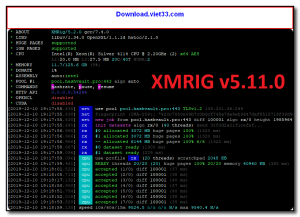
- Run xmrig.exe (Windows) or ./xmrig (Linux/macOS) from the terminal.
- Monitor your hash rate and accepted shares in the console output.
Frequently Asked Questions about XMRig – High Performance CPU/GPU Monero Miner
Is XMRig – High Performance CPU/GPU Monero Miner free?
XMRig – High Performance CPU/GPU Monero Miner is completely free to download and use — no registration or payment required.
What are the system requirements for XMRig – High Performance CPU/GPU Monero Miner?
Minimum requirements: Windows7,8,10,11. A modern PC with at least 2GB RAM is recommended.
What is the latest version of XMRig – High Performance CPU/GPU Monero Miner?
The latest version is 6.24.0, updated on 08/10/2025.
Is XMRig – High Performance CPU/GPU Monero Miner safe to download?
Yes. All software listed on download.viet33.com is sourced directly from the official developer and verified before publishing. No bundled adware or malware.
Does XMRig – High Performance CPU/GPU Monero Miner work on Windows 11?
Yes, XMRig – High Performance CPU/GPU Monero Miner is compatible with Windows7,8,10,11, including Windows 11.
 Download DesktopCalendar 2.3.108.5601
87 Downloads
Download DesktopCalendar 2.3.108.5601
87 Downloads
 Download Hard Disk Sentinel 6.40
73 Downloads
Download Hard Disk Sentinel 6.40
73 Downloads
 Download Windows 10
57 Downloads
Download Windows 10
57 Downloads
 Download Sound Booster 1.2
57 Downloads
Download Sound Booster 1.2
57 Downloads
 Download 3DP Chip 26.06
70 Downloads
Download 3DP Chip 26.06
70 Downloads


