
WinShell is a free, lightweight integrated development environment (IDE) specifically designed for writing LaTeX and TeX documents on Windows. It provides a straightforward editing environment with all the essential tools needed to create professional scientific papers, academic theses, and technical documents.
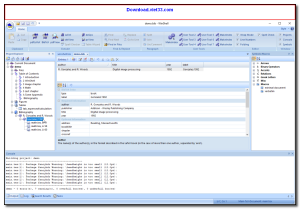
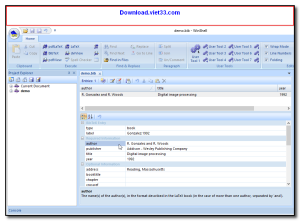
WinShell offers a clean multi-document interface with syntax highlighting, project management, direct compilation to PDF or DVI, and a built-in document structure viewer. Its simplicity makes it an excellent choice for users who want a no-frills LaTeX editor that just works.
Compatible with all major LaTeX distributions including MiKTeX and TeX Live, WinShell is a reliable companion for students and academics who write LaTeX documents regularly on Windows.
Key Features
- Clean multi-document tabbed interface for managing multiple LaTeX files
- Syntax highlighting for LaTeX commands, environments, and comments
- One-click compilation to PDF, DVI, or PS output formats
- Integrated document structure navigator for quick navigation
- Customizable toolbar with quick access to common LaTeX commands
- Project management to organize multi-file LaTeX documents
- Compatible with MiKTeX and TeX Live distributions
How to Install
- Click the download button above to get the WinShell installer.
- Run the setup file and follow the on-screen instructions to install.
- Ensure MiKTeX or TeX Live is installed on your system for LaTeX compilation.
- Launch WinShell and configure the path to your LaTeX compiler in Settings.
- Open or create a .tex file and click Compile to generate your PDF output.
 Download Office Deployment Tool
31 Downloads
Download Office Deployment Tool
31 Downloads
 Download AutoIt
19738 Downloads
Download AutoIt
19738 Downloads
 Download Construct 2
19644 Downloads
Download Construct 2
19644 Downloads
 Download AEdiX Suite
20314 Downloads
Download AEdiX Suite
20314 Downloads
 Download UltraEdit
20030 Downloads
Download UltraEdit
20030 Downloads


