
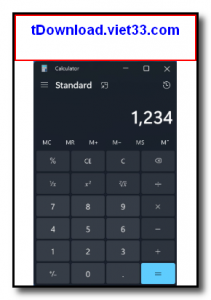
Windows Calculator is the official open-source calculator app from Microsoft, designed for Windows 10 and Windows 11. Far more capable than it looks, it includes standard, scientific, programmer, and date calculation modes, plus a comprehensive unit and currency converter — all in a clean, modern interface.
The app has been open-sourced by Microsoft on GitHub, allowing the developer community to contribute improvements and new features. It is lightweight, launches instantly, and integrates seamlessly with the Windows system tray and taskbar for quick access whenever you need it.
Whether you are doing basic arithmetic, solving scientific equations, working with binary and hexadecimal numbers, or converting units and currencies, Windows Calculator covers every common calculation need in a single, elegant app.
Key Features
- Standard mode for everyday arithmetic calculations with a clean, touch-friendly interface
- Scientific mode with trigonometric, logarithmic, and exponential functions
- Programmer mode supporting binary, octal, decimal, and hexadecimal number systems
- Date calculation to find the difference between two dates or add/subtract days
- Unit converter covering length, weight, temperature, energy, speed, and more
- Currency converter with regularly updated exchange rates
- Open-source on GitHub — actively maintained with community contributions

How to Install
- Click the download button below to get the Windows Calculator package.
- On Windows 10 and 11, the app is pre-installed and available from the Start Menu.
- To install the latest version, download the .msixbundle file and double-click to install via the App Installer.
- Alternatively, install from the Microsoft Store by searching for “Windows Calculator”.
- Launch the app and select your desired mode (Standard, Scientific, Programmer, etc.) from the navigation menu.
Frequently Asked Questions about Windows Calculator – Free Multi-Mode Calculator App for Windows
Is Windows Calculator – Free Multi-Mode Calculator App for Windows free?
Windows Calculator – Free Multi-Mode Calculator App for Windows is completely free to download and use — no registration or payment required.
What are the system requirements for Windows Calculator – Free Multi-Mode Calculator App for Windows?
Minimum requirements: Windows7,8,10,11. A modern PC with at least 2GB RAM is recommended.
What is the latest version of Windows Calculator – Free Multi-Mode Calculator App for Windows?
Check the version info box at the top of this page for the current release.
Is Windows Calculator – Free Multi-Mode Calculator App for Windows safe to download?
Yes. All software listed on download.viet33.com is sourced directly from the official developer and verified before publishing. No bundled adware or malware.
Does Windows Calculator – Free Multi-Mode Calculator App for Windows work on Windows 11?
Yes, Windows Calculator – Free Multi-Mode Calculator App for Windows is compatible with Windows7,8,10,11, including Windows 11.
 Download DesktopCalendar 2.3.108.5601
87 Downloads
Download DesktopCalendar 2.3.108.5601
87 Downloads
 Download Hard Disk Sentinel 6.40
73 Downloads
Download Hard Disk Sentinel 6.40
73 Downloads
 Download Windows 10
57 Downloads
Download Windows 10
57 Downloads
 Download Sound Booster 1.2
57 Downloads
Download Sound Booster 1.2
57 Downloads
 Download 3DP Chip 26.06
70 Downloads
Download 3DP Chip 26.06
70 Downloads


