
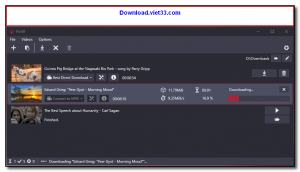
Vividl is a free, open-source video downloader for Windows with a clean, modern graphical interface built on top of the powerful yt-dlp engine. It allows you to download videos and audio from YouTube, Vimeo, Twitter, Facebook, and hundreds of other websites, supporting a wide range of output formats and quality levels from a user-friendly desktop app.
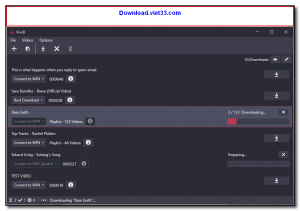
Unlike command-line tools, Vividl presents all yt-dlp options through an intuitive GUI, making it accessible to users who prefer not to use the terminal. You can paste a video URL, choose your desired format and quality, and start the download with a single click. Vividl supports batch downloading, download queue management, and automatic post-processing with FFmpeg for format conversion.
Vividl integrates with FFmpeg for converting downloaded media to MP3, MP4, WebM, and other formats. It also supports audio extraction for downloading music from video platforms, and provides detailed progress tracking for each download in the queue.
Key Features
- Download videos from YouTube, Vimeo, Twitter, Facebook, and 1000+ supported sites.
- Clean modern GUI built on yt-dlp for user-friendly video downloading without command line.
- Choose video quality from 4K down to 360p, or extract audio only as MP3.
- Batch downloading with a queue manager for multiple simultaneous downloads.
- FFmpeg integration for automatic format conversion and post-processing.
- Supports subtitles, metadata embedding, and thumbnail download.
- Free and open source, available on GitHub under the MIT license.
How to Install
- Download the Vividl installer from the link below.
- Run the VividlSetup.exe and follow the setup wizard.
- On first launch, Vividl will prompt you to install or locate FFmpeg (required for format conversion).
- Paste a video URL into the input field and press Add to add it to the download queue.
- Select your desired format and quality, then click Download to start.
Frequently Asked Questions about Vividl – Free GUI Video Downloader for Windows Powered by yt-dlp
Is Vividl – Free GUI Video Downloader for Windows Powered by yt-dlp free?
Vividl – Free GUI Video Downloader for Windows Powered by yt-dlp is completely free to download and use — no registration or payment required.
What are the system requirements for Vividl – Free GUI Video Downloader for Windows Powered by yt-dlp?
Minimum requirements: Windows7,8,10,11. A modern PC with at least 2GB RAM is recommended.
What is the latest version of Vividl – Free GUI Video Downloader for Windows Powered by yt-dlp?
The latest version is 0.5.1, updated on 23/09/2025.
Is Vividl – Free GUI Video Downloader for Windows Powered by yt-dlp safe to download?
Yes. All software listed on download.viet33.com is sourced directly from the official developer and verified before publishing. No bundled adware or malware.
Does Vividl – Free GUI Video Downloader for Windows Powered by yt-dlp work on Windows 11?
Yes, Vividl – Free GUI Video Downloader for Windows Powered by yt-dlp is compatible with Windows7,8,10,11, including Windows 11.
 Download DesktopCalendar 2.3.108.5601
87 Downloads
Download DesktopCalendar 2.3.108.5601
87 Downloads
 Download Hard Disk Sentinel 6.40
73 Downloads
Download Hard Disk Sentinel 6.40
73 Downloads
 Download Windows 10
57 Downloads
Download Windows 10
57 Downloads
 Download Sound Booster 1.2
57 Downloads
Download Sound Booster 1.2
57 Downloads
 Download 3DP Chip 26.06
70 Downloads
Download 3DP Chip 26.06
70 Downloads


