
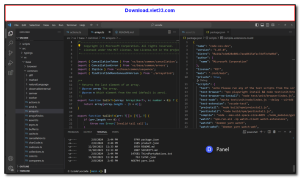
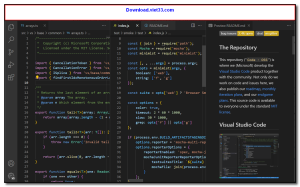
Visual Studio is Microsoft’s flagship integrated development environment (IDE), providing a comprehensive platform for building applications across Windows, web, cloud, mobile, and game development. It supports a wide range of programming languages including C#, C++, Python, JavaScript, TypeScript, and more.
With its powerful IntelliSense code completion, built-in debugger, Git integration, and extensive extension marketplace, Visual Studio streamlines every stage of the software development lifecycle — from writing code to testing and deployment. It is the preferred IDE for professional .NET and C++ developers worldwide.
Visual Studio is available in Community (free), Professional, and Enterprise editions, making it accessible to individual developers, students, and large enterprise teams alike.
Key Features
- IntelliSense code completion, refactoring, and smart suggestions
- Powerful built-in debugger with breakpoints, watch windows, and hot reload
- Integrated Git version control and Azure DevOps support
- Live Share for real-time collaborative coding with teammates
- Extensive extension marketplace with thousands of add-ons
- Built-in support for ASP.NET, WPF, WinForms, Blazor, MAUI, and more
- Free Community edition available for students, open-source, and individual developers
How to Install
- Click the download button above to get the Visual Studio installer.
- Run the installer and select the workloads you need (e.g., .NET, C++, web development).
- Click “Install” and wait for the installation to complete (may take several minutes).
- Launch Visual Studio and sign in with your Microsoft account.
- Create a new project or open an existing solution to start coding.
Frequently Asked Questions about Visual Studio
Is Visual Studio free?
Visual Studio is completely free to download and use — no registration or payment required.
What are the system requirements for Visual Studio?
Minimum requirements: Windows7,8,10,11. A modern PC with at least 2GB RAM is recommended.
What is the latest version of Visual Studio?
The latest version is 18.1.1, updated on 31/12/2025.
Is Visual Studio safe to download?
Yes. All software listed on download.viet33.com is sourced directly from the official developer and verified before publishing. No bundled adware or malware.
Does Visual Studio work on Windows 11?
Yes, Visual Studio is compatible with Windows7,8,10,11, including Windows 11.
 Download Office Deployment Tool
58 Downloads
Download Office Deployment Tool
58 Downloads
 Download AutoIt
19755 Downloads
Download AutoIt
19755 Downloads
 Download Construct 2
19673 Downloads
Download Construct 2
19673 Downloads
 Download AEdiX Suite
20328 Downloads
Download AEdiX Suite
20328 Downloads
 Download UltraEdit
20055 Downloads
Download UltraEdit
20055 Downloads


