
Turbo VPN is a fast, secure, and easy-to-use VPN application that provides high-speed encrypted connections to servers around the world. With a simple one-tap interface, it lets you browse anonymously, bypass geo-restrictions, and protect your data on any network — without any technical configuration.
Turbo VPN offers a generous free tier with no registration required, making it one of the most accessible VPN solutions available. Its optimized server network delivers consistently fast speeds for streaming, gaming, and general browsing, even on its free plan.
Whether you want to access region-locked content, secure your connection on public Wi-Fi, or maintain online privacy, Turbo VPN provides a reliable and user-friendly solution for all your VPN needs.
Key Features
- One-click VPN connection with no technical setup required
- High-speed servers optimized for streaming, gaming, and browsing
- Military-grade AES-256 encryption for secure data protection
- Bypass geo-restrictions to access blocked websites and streaming services
- Free plan with unlimited bandwidth and no registration required
- Servers in multiple countries for flexible location selection
- Automatically reconnects if the VPN connection drops
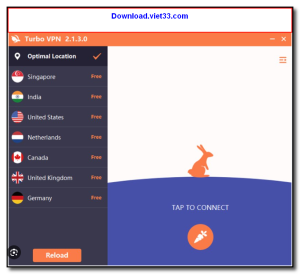

How to Install
- Click the download button above to get the Turbo VPN installer.
- Run the setup file and follow the on-screen instructions to install.
- Launch Turbo VPN from your desktop or system tray.
- Select a server location or use the automatic best-server option.
- Click “Connect” — your connection is now encrypted and protected.
Frequently Asked Questions about Turbo VPN
Is Turbo VPN free?
Turbo VPN is completely free to download and use — no registration or payment required.
What are the system requirements for Turbo VPN?
Minimum requirements: Windows7,8,10,11. A modern PC with at least 2GB RAM is recommended.
What is the latest version of Turbo VPN?
The latest version is 3.4.1, updated on 26/12/2025.
Is Turbo VPN safe to download?
Yes. All software listed on download.viet33.com is sourced directly from the official developer and verified before publishing. No bundled adware or malware.
Does Turbo VPN work on Windows 11?
Yes, Turbo VPN is compatible with Windows7,8,10,11, including Windows 11.
 Download DesktopCalendar 2.3.108.5601
87 Downloads
Download DesktopCalendar 2.3.108.5601
87 Downloads
 Download Hard Disk Sentinel 6.40
73 Downloads
Download Hard Disk Sentinel 6.40
73 Downloads
 Download Windows 10
57 Downloads
Download Windows 10
57 Downloads
 Download Sound Booster 1.2
57 Downloads
Download Sound Booster 1.2
57 Downloads
 Download 3DP Chip 26.06
71 Downloads
Download 3DP Chip 26.06
71 Downloads


