
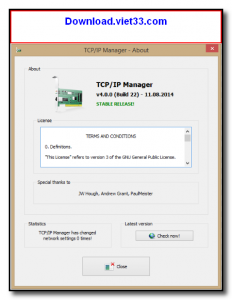
TCP/IP Manager is a free network configuration manager for Windows that makes it easy to save, switch, and manage multiple network profiles. If you frequently move between different networks — such as your home network, office LAN, and client site configurations — TCP/IP Manager lets you switch IP addresses and DNS settings with a single click instead of manually reconfiguring each time.
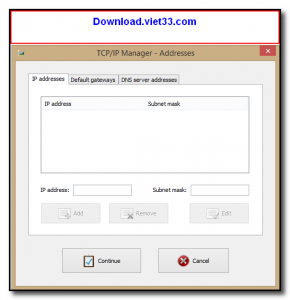
The software stores network profiles including IP address, subnet mask, default gateway, and DNS servers. You can create as many profiles as needed and switch between them instantly from the system tray, dramatically reducing the time spent on network reconfiguration.
TCP/IP Manager also supports flushing the DNS cache, releasing and renewing DHCP leases, and pinging addresses directly from the interface, making it a handy all-in-one tool for network troubleshooting on Windows.
Key Features
- Save and switch between multiple network configuration profiles
- Store IP address, subnet mask, gateway, and DNS settings per profile
- One-click profile switching from the system tray
- Built-in DNS flush, DHCP release/renew, and ping tools
- Import and export profiles for sharing across machines
- Lightweight with low system resource usage
- Free for personal and professional use on Windows
How to Install
- Click the download button to get the TCP/IP Manager installer.
- Run the installer and follow the on-screen setup instructions.
- Launch TCP/IP Manager — it will appear in your system tray.
- Click Add to create a new network profile, enter your IP and DNS details, and save.
- To switch networks, right-click the tray icon, select your saved profile, and apply it instantly.
Frequently Asked Questions about TCP/IP Manager
Is TCP/IP Manager free?
TCP/IP Manager is completely free to download and use — no registration or payment required.
What are the system requirements for TCP/IP Manager?
Minimum requirements: Windows7,8,10,11. A modern PC with at least 2GB RAM is recommended.
What is the latest version of TCP/IP Manager?
The latest version is 4.1.1, updated on 11/11/2025.
Is TCP/IP Manager safe to download?
Yes. All software listed on download.viet33.com is sourced directly from the official developer and verified before publishing. No bundled adware or malware.
Does TCP/IP Manager work on Windows 11?
Yes, TCP/IP Manager is compatible with Windows7,8,10,11, including Windows 11.
 Download DesktopCalendar 2.3.108.5601
87 Downloads
Download DesktopCalendar 2.3.108.5601
87 Downloads
 Download Hard Disk Sentinel 6.40
73 Downloads
Download Hard Disk Sentinel 6.40
73 Downloads
 Download Windows 10
57 Downloads
Download Windows 10
57 Downloads
 Download Sound Booster 1.2
57 Downloads
Download Sound Booster 1.2
57 Downloads
 Download 3DP Chip 26.06
70 Downloads
Download 3DP Chip 26.06
70 Downloads


