
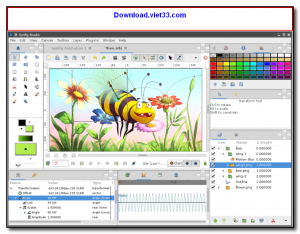
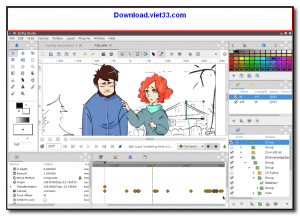
Synfig Studio is a free, open-source 2D animation software that enables artists to create professional-quality animations without the need for frame-by-frame drawing. Using a vector-based, tweening approach, Synfig automatically generates the in-between frames between keyframes, dramatically reducing the amount of manual work required to produce smooth animations.
Synfig supports a powerful layer-based workflow with support for vector shapes, bitmaps, distortion layers, and transformation links. Its bone system enables character rigging for reusable animated characters, and its timeline panel gives full control over the timing and easing of every element in the scene.
Available for Windows, macOS, and Linux, Synfig is used by independent animators, students, and small studios for everything from web animations and explainer videos to short films. It is a capable alternative to commercial 2D animation tools.
Key Features
- Vector-based tweening engine for smooth, automatic in-between frame generation
- Layer-based composition with shapes, bitmaps, and distortion effects
- Bone and skeleton system for character rigging and reuse
- Advanced timeline with easing curves and keyframe management
- Render output to common video formats and image sequences
- Free and open-source under the GPL license
- Cross-platform: Windows, macOS, and Linux
How to Install
- Click the download button to get the Synfig Studio installer for your platform.
- Run the installer and follow the on-screen setup instructions.
- Launch Synfig Studio and create a new project by setting your canvas size and frame rate.
- Add layers using the Layer menu or tool palette and set keyframes on the timeline to begin animating.
- When your animation is complete, go to File > Render to export it as a video file or image sequence.
Frequently Asked Questions about Synfig Studio
Is Synfig Studio free?
Synfig Studio is completely free to download and use — no registration or payment required.
What are the system requirements for Synfig Studio?
Minimum requirements: Windows7,8,10,11. A modern PC with at least 2GB RAM is recommended.
What is the latest version of Synfig Studio?
The latest version is 1.5.3, updated on 22/11/2025.
Is Synfig Studio safe to download?
Yes. All software listed on download.viet33.com is sourced directly from the official developer and verified before publishing. No bundled adware or malware.
Does Synfig Studio work on Windows 11?
Yes, Synfig Studio is compatible with Windows7,8,10,11, including Windows 11.
 Download DesktopCalendar 2.3.108.5601
87 Downloads
Download DesktopCalendar 2.3.108.5601
87 Downloads
 Download Hard Disk Sentinel 6.40
73 Downloads
Download Hard Disk Sentinel 6.40
73 Downloads
 Download Windows 10
57 Downloads
Download Windows 10
57 Downloads
 Download Sound Booster 1.2
57 Downloads
Download Sound Booster 1.2
57 Downloads
 Download 3DP Chip 26.06
70 Downloads
Download 3DP Chip 26.06
70 Downloads


