
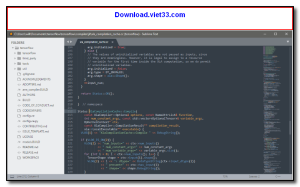
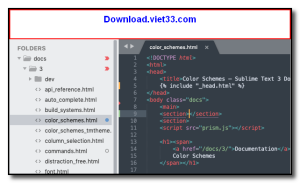
Sublime Text 3 is a fast, feature-rich, and highly customizable text editor beloved by developers worldwide. Its clean interface, lightning-fast performance, and powerful editing features make it ideal for coding in any programming language — from Python and JavaScript to HTML, CSS, and beyond.
One of Sublime Text 3’s most celebrated features is its “Goto Anything” quick navigation, multiple selections, and split editing capabilities that dramatically accelerate your workflow. The Package Control ecosystem also gives you access to thousands of plugins to extend functionality exactly how you need it.
While Sublime Text 3 is available as a paid license, it can be used indefinitely for free evaluation, making it accessible to developers of all levels who want a professional-grade editor without compromise.
Key Features
- Blazing fast performance even with large files and complex projects
- Multiple selections and multi-cursor editing to edit many lines at once
- “Goto Anything” for instant navigation to files, symbols, and lines
- Distraction-free full-screen mode for focused coding
- Split editing to work on two files side by side
- Powerful Package Control for installing thousands of community plugins
- Syntax highlighting for over 80 programming languages
How to Install
- Click the download button above to get the Sublime Text 3 installer.
- Run the setup file and follow the on-screen instructions to install.
- Launch Sublime Text 3 from the Start menu or desktop shortcut.
- Install Package Control via the Tools menu to access community plugins.
- Start coding — open any file or folder to begin your project.
Frequently Asked Questions about Sublime Text 3
Is Sublime Text 3 free?
Sublime Text 3 offers a free trial period. Full features may require a paid license.
What are the system requirements for Sublime Text 3?
Minimum requirements: Windows7,8,10,11,32-bit,64-bit. A modern PC with at least 2GB RAM is recommended.
What is the latest version of Sublime Text 3?
The latest version is 3.2.1, updated on 31/12/2025.
Is Sublime Text 3 safe to download?
Yes. All software listed on download.viet33.com is sourced directly from the official developer and verified before publishing. No bundled adware or malware.
Does Sublime Text 3 work on Windows 11?
Yes, Sublime Text 3 is compatible with Windows7,8,10,11,32-bit,64-bit, including Windows 11.
 Download Office Deployment Tool
58 Downloads
Download Office Deployment Tool
58 Downloads
 Download AutoIt
19755 Downloads
Download AutoIt
19755 Downloads
 Download Construct 2
19673 Downloads
Download Construct 2
19673 Downloads
 Download AEdiX Suite
20328 Downloads
Download AEdiX Suite
20328 Downloads
 Download UltraEdit
20055 Downloads
Download UltraEdit
20055 Downloads


