
StreamFX is a powerful open-source plugin for OBS Studio that dramatically expands its capabilities with advanced visual effects, filters, and sources. Designed for content creators, streamers, and video producers, it brings professional-grade tools directly into the OBS workflow without requiring external software.
With StreamFX, users can apply real-time blur, 3D transformations, shader-based effects, and dynamic sources that go far beyond what vanilla OBS offers. It supports both live streaming and local recording scenarios, making it a versatile upgrade for any broadcast setup.
The plugin integrates seamlessly with OBS Studio and is actively maintained by the community. Whether you want cinematic depth-of-field effects, custom GLSL shaders, or screen-space ambient occlusion, StreamFX delivers a feature set previously only available in dedicated video production software.
Key Features
- Advanced blur filters – Box, Gaussian, dual Kawase, and more blur modes for backgrounds and overlays.
- 3D transform filter – Rotate, scale, and position sources in true 3D space within OBS.
- NVIDIA Background Removal – AI-powered virtual background removal without a green screen (requires NVIDIA GPU).
- Custom shader effects – Apply GLSL shaders to any source or scene for unique visual styles.
- Dynamic masks – Use image, color, or source-based masks to create creative transitions and reveals.
- Screen-space effects – Add ambient occlusion and other post-processing effects in real time.
- Source mirror – Reuse any OBS source across multiple scenes with independent transformations.
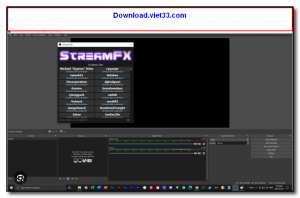
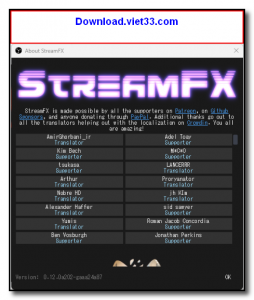
How to Install
- Download the StreamFX installer for your operating system from the link below.
- Close OBS Studio completely before proceeding with installation.
- Run the installer and follow the on-screen instructions to complete setup.
- Relaunch OBS Studio — StreamFX filters and sources will now appear in your effects menus.
- Add a StreamFX filter to any source or scene via the Filters panel to start using its features.
Frequently Asked Questions about StreamFX – Advanced Effects Plugin for OBS Studio
Is StreamFX – Advanced Effects Plugin for OBS Studio free?
StreamFX – Advanced Effects Plugin for OBS Studio is completely free to download and use — no registration or payment required.
What are the system requirements for StreamFX – Advanced Effects Plugin for OBS Studio?
Minimum requirements: Windows7,8,10,11. A modern PC with at least 2GB RAM is recommended.
What is the latest version of StreamFX – Advanced Effects Plugin for OBS Studio?
The latest version is 0.11.1, updated on 11/09/2025.
Is StreamFX – Advanced Effects Plugin for OBS Studio safe to download?
Yes. All software listed on download.viet33.com is sourced directly from the official developer and verified before publishing. No bundled adware or malware.
Does StreamFX – Advanced Effects Plugin for OBS Studio work on Windows 11?
Yes, StreamFX – Advanced Effects Plugin for OBS Studio is compatible with Windows7,8,10,11, including Windows 11.
 Download DesktopCalendar 2.3.108.5601
87 Downloads
Download DesktopCalendar 2.3.108.5601
87 Downloads
 Download Hard Disk Sentinel 6.40
73 Downloads
Download Hard Disk Sentinel 6.40
73 Downloads
 Download Windows 10
57 Downloads
Download Windows 10
57 Downloads
 Download Sound Booster 1.2
57 Downloads
Download Sound Booster 1.2
57 Downloads
 Download 3DP Chip 26.06
70 Downloads
Download 3DP Chip 26.06
70 Downloads


