
SQLiteStudio is a free, open-source SQLite database manager that provides a clean, cross-platform graphical interface for creating, browsing, and editing SQLite databases. It is one of the most popular tools for working with SQLite databases on Windows, Linux, and macOS, offering a comprehensive feature set without requiring a server installation.
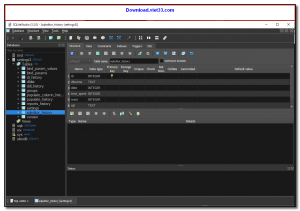
SQLiteStudio allows you to visually manage your database schema — create and modify tables, indexes, triggers, and views — as well as browse and edit data directly in a spreadsheet-style grid. Its integrated SQL editor with syntax highlighting and auto-completion makes writing and testing queries fast and intuitive.
The application is fully portable — no installation required, and it leaves no registry entries. It supports multiple SQLite databases open simultaneously in a tabbed interface, and can import and export data in CSV, XML, JSON, HTML, PDF, and other formats. SQLiteStudio also includes an extension system for additional functionality.
Key Features
- Visual SQLite database manager with table editor, schema designer, and data browser.
- Integrated SQL editor with syntax highlighting, auto-completion, and query history.
- Import and export data in CSV, XML, JSON, HTML, PDF, and SQL dump formats.
- Manage tables, indexes, views, triggers, and foreign keys through a graphical interface.
- Multiple database connections open simultaneously in a tabbed interface.
- Portable, no installation required, leaves no registry entries.
- Free and open source, available for Windows, Linux, and macOS.
How to Install
- Download the SQLiteStudio portable ZIP or installer for your operating system from the link below.
- Extract the ZIP to any folder or run the installer if using the installer version.
- Launch SQLiteStudio.exe (Windows) or the equivalent binary on Linux/macOS.
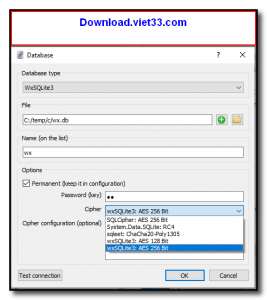
- Go to Database → Add a database to open an existing SQLite file or create a new one.
- Browse tables, edit data, and run SQL queries directly from the built-in editor.
Frequently Asked Questions about SQLiteStudio – Free Cross-Platform SQLite Database Manager
Is SQLiteStudio – Free Cross-Platform SQLite Database Manager free?
SQLiteStudio – Free Cross-Platform SQLite Database Manager is completely free to download and use — no registration or payment required.
What are the system requirements for SQLiteStudio – Free Cross-Platform SQLite Database Manager?
Minimum requirements: Windows7,8,10,11. A modern PC with at least 2GB RAM is recommended.
What is the latest version of SQLiteStudio – Free Cross-Platform SQLite Database Manager?
The latest version is 3.4.17, updated on 14/09/2025.
Is SQLiteStudio – Free Cross-Platform SQLite Database Manager safe to download?
Yes. All software listed on download.viet33.com is sourced directly from the official developer and verified before publishing. No bundled adware or malware.
Does SQLiteStudio – Free Cross-Platform SQLite Database Manager work on Windows 11?
Yes, SQLiteStudio – Free Cross-Platform SQLite Database Manager is compatible with Windows7,8,10,11, including Windows 11.
 Download DesktopCalendar 2.3.108.5601
87 Downloads
Download DesktopCalendar 2.3.108.5601
87 Downloads
 Download Hard Disk Sentinel 6.40
73 Downloads
Download Hard Disk Sentinel 6.40
73 Downloads
 Download Windows 10
57 Downloads
Download Windows 10
57 Downloads
 Download Sound Booster 1.2
57 Downloads
Download Sound Booster 1.2
57 Downloads
 Download 3DP Chip 26.06
70 Downloads
Download 3DP Chip 26.06
70 Downloads


