
SMPlayer is a free, open-source media player built on top of the powerful MPlayer and mpv engines. It supports virtually every video and audio format imaginable, including MP4, MKV, AVI, MOV, MP3, FLAC, and many more, making it a versatile all-in-one media solution for Windows and Linux.
One of SMPlayer’s standout features is its ability to remember the settings for each video you play — including volume, equalizer settings, and subtitle position — so you can pick up exactly where you left off. It also supports YouTube playback and streaming media, going beyond basic local file playback.
SMPlayer includes a built-in subtitle downloader that can automatically fetch subtitles from OpenSubtitles.org, and it supports the casting of media to external devices. Its clean interface and deep customization options make it a favorite among power users.
Key Features
- Plays virtually all video and audio formats via MPlayer/mpv backend
- Remembers playback settings per video (volume, position, subtitles)
- Built-in subtitle downloader from OpenSubtitles.org
- YouTube and online streaming support
- Video equalizer with brightness, contrast, saturation, and hue controls
- Highly customizable skins, icons, and interface themes
- Available for Windows and Linux, completely free and open-source
How to Install
- Click the download button to get the SMPlayer installer for your platform.
- Run the installer and follow the on-screen setup instructions.
- Launch SMPlayer from the Start Menu or desktop shortcut.
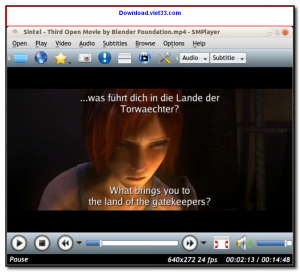
- Open a video file via File > Open File or drag and drop a file into the player.
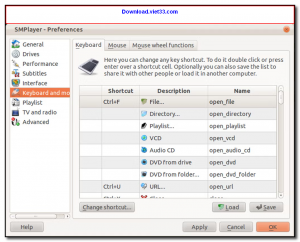
- Explore the Preferences menu to customize subtitles, audio output, and interface options.
Frequently Asked Questions about SMPlayer
Is SMPlayer free?
SMPlayer is completely free to download and use — no registration or payment required.
What are the system requirements for SMPlayer?
Minimum requirements: Windows7,8,10,11. A modern PC with at least 2GB RAM is recommended.
What is the latest version of SMPlayer?
The latest version is 22.7.0, updated on 01/12/2025.
Is SMPlayer safe to download?
Yes. All software listed on download.viet33.com is sourced directly from the official developer and verified before publishing. No bundled adware or malware.
Does SMPlayer work on Windows 11?
Yes, SMPlayer is compatible with Windows7,8,10,11, including Windows 11.
 Download DesktopCalendar 2.3.108.5601
87 Downloads
Download DesktopCalendar 2.3.108.5601
87 Downloads
 Download Hard Disk Sentinel 6.40
73 Downloads
Download Hard Disk Sentinel 6.40
73 Downloads
 Download Windows 10
57 Downloads
Download Windows 10
57 Downloads
 Download Sound Booster 1.2
57 Downloads
Download Sound Booster 1.2
57 Downloads
 Download 3DP Chip 26.06
70 Downloads
Download 3DP Chip 26.06
70 Downloads


