
Restic is a fast, secure, and efficient open-source backup program that protects your data with end-to-end encryption. Written in Go, it runs on Windows, Linux, macOS, and other platforms, and can back up files to local disks, network drives, SFTP servers, and major cloud providers including Amazon S3, Google Cloud Storage, Azure Blob Storage, and Backblaze B2.
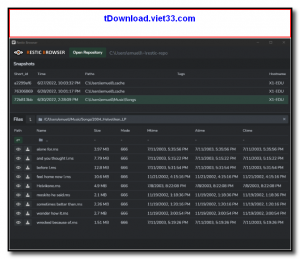
Every backup Restic creates is a snapshot stored as content-addressable chunks, meaning duplicate data is only stored once across all your snapshots. This deduplication, combined with compression and AES-256 encryption, makes Restic both space-efficient and highly secure. You can restore individual files or entire snapshots without decrypting the whole repository first.
Restic is operated entirely from the command line, making it ideal for scripting, automation, and integration into CI/CD pipelines and server maintenance routines. It is a favorite among developers and system administrators who need reliable, verifiable backups.
Key Features
- End-to-end AES-256 encryption ensures backups are secure at rest and in transit
- Content-based deduplication stores each unique chunk of data only once across all snapshots
- Incremental backups — only changed data is uploaded after the initial backup
- Supports local, SFTP, REST server, S3, GCS, Azure, B2, and other storage backends
- Cross-platform — runs on Windows, Linux, macOS, FreeBSD, and more
- Fast restore of individual files or complete snapshots from any point in time
- Repository integrity checking with
restic checkto verify backup validity
How to Install
- Click the download button below to get the Restic binary for your operating system.
- Place the binary in a directory on your PATH (e.g., /usr/local/bin on Linux/macOS or C:\Windows on Windows).
- Initialize a new backup repository:
restic init --repo /path/to/repo - Create your first backup:
restic backup /path/to/data - List snapshots with
restic snapshotsand restore withrestic restore latest --target /restore/path
Frequently Asked Questions about Restic – Fast, Secure, and Encrypted Backup Program
Is Restic – Fast, Secure, and Encrypted Backup Program free?
Restic – Fast, Secure, and Encrypted Backup Program is completely free to download and use — no registration or payment required.
What are the system requirements for Restic – Fast, Secure, and Encrypted Backup Program?
Minimum requirements: Windows7,8,10,11. A modern PC with at least 2GB RAM is recommended.
What is the latest version of Restic – Fast, Secure, and Encrypted Backup Program?
The latest version is 0.18.1, updated on 26/10/2025.
Is Restic – Fast, Secure, and Encrypted Backup Program safe to download?
Yes. All software listed on download.viet33.com is sourced directly from the official developer and verified before publishing. No bundled adware or malware.
Does Restic – Fast, Secure, and Encrypted Backup Program work on Windows 11?
Yes, Restic – Fast, Secure, and Encrypted Backup Program is compatible with Windows7,8,10,11, including Windows 11.
 Download DesktopCalendar 2.3.108.5601
87 Downloads
Download DesktopCalendar 2.3.108.5601
87 Downloads
 Download Hard Disk Sentinel 6.40
73 Downloads
Download Hard Disk Sentinel 6.40
73 Downloads
 Download Windows 10
57 Downloads
Download Windows 10
57 Downloads
 Download Sound Booster 1.2
57 Downloads
Download Sound Booster 1.2
57 Downloads
 Download 3DP Chip 26.06
70 Downloads
Download 3DP Chip 26.06
70 Downloads


