
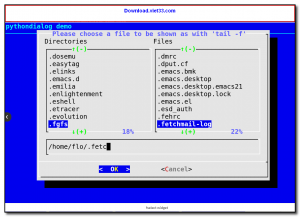
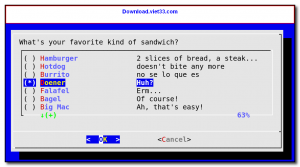
pythondialog is a Python library that provides a simple interface for creating interactive text-based dialog boxes in terminal applications using the dialog utility. It allows Python developers to build user-friendly terminal UIs with menus, input boxes, checklists, radio buttons, progress bars, and more — without writing complex curses code.
The library wraps the widely available dialog command-line tool and exposes all its widgets through a clean Python API. This makes it ideal for creating interactive system administration scripts, installation wizards, configuration tools, and any terminal application that needs to collect user input or display formatted information.
pythondialog is compatible with Python 3 and works on any Linux or Unix system where the dialog utility is installed. It is used in many system configuration tools, installer scripts, and administrative utilities across the Linux ecosystem.
Key Features
- Create dialog boxes, menus, input fields, checklists, and progress bars in terminal UIs.
- Wraps the dialog utility with a clean, Pythonic object-oriented API.
- Supports all standard dialog widget types: msgbox, yesno, menu, inputbox, checklist, radiolist, and more.
- Auto-sizing widgets that adapt to terminal dimensions for portable scripts.
- Supports both synchronous and background progress gauges for long-running operations.
- Compatible with Python 3 and available via pip for easy installation.
- Free and open source under the LGPL license.
How to Install
- Install the dialog system utility: sudo apt install dialog (Debian/Ubuntu) or sudo yum install dialog (RHEL/CentOS).
- Install pythondialog via pip: pip install pythondialog
- Import the library in your Python script: from dialog import Dialog
- Create a Dialog instance: d = Dialog(dialog=”dialog”)
- Display a widget: d.msgbox(“Hello from pythondialog!”) and build your terminal UI from there.
Frequently Asked Questions about pythondialog – Python Library for Terminal Dialog Box UIs
Is pythondialog – Python Library for Terminal Dialog Box UIs free?
pythondialog – Python Library for Terminal Dialog Box UIs is completely free to download and use — no registration or payment required.
What are the system requirements for pythondialog – Python Library for Terminal Dialog Box UIs?
Minimum requirements: Linux. A modern PC with at least 2GB RAM is recommended.
What is the latest version of pythondialog – Python Library for Terminal Dialog Box UIs?
The latest version is 3.5.3, updated on 29/09/2025.
Is pythondialog – Python Library for Terminal Dialog Box UIs safe to download?
Yes. All software listed on download.viet33.com is sourced directly from the official developer and verified before publishing. No bundled adware or malware.
Does pythondialog – Python Library for Terminal Dialog Box UIs work on Windows 11?
Yes, pythondialog – Python Library for Terminal Dialog Box UIs is compatible with Linux, including Windows 11.
 Download Office Deployment Tool
58 Downloads
Download Office Deployment Tool
58 Downloads
 Download AutoIt
19755 Downloads
Download AutoIt
19755 Downloads
 Download Construct 2
19673 Downloads
Download Construct 2
19673 Downloads
 Download AEdiX Suite
20328 Downloads
Download AEdiX Suite
20328 Downloads
 Download UltraEdit
20055 Downloads
Download UltraEdit
20055 Downloads


