
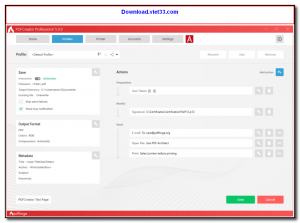
PDFCreator is a free and easy-to-use PDF printer for Windows that lets you convert any printable document into a PDF file. Simply print from any application and choose PDFCreator as the printer to instantly generate a PDF, making it one of the simplest ways to create PDF files on Windows.
Beyond basic PDF creation, PDFCreator supports merging multiple documents into a single PDF, password-protecting files, and compressing output for smaller file sizes. It also supports output to other formats such as PNG, JPEG, TIFF, and text, making it a versatile document conversion tool.
PDFCreator integrates with the Windows print system, requiring no changes to your existing workflow. The free version includes all core features, while an optional paid version adds automatic printing, COM scripting, and advanced workflow automation.
Key Features
- Creates PDFs from any Windows application via the virtual printer
- Merge multiple documents into a single PDF with the print queue
- Password protection and encryption for secure PDF output
- Supports additional output formats: PNG, JPEG, TIFF, BMP, and text
- PDF compression to reduce file size for sharing or archiving
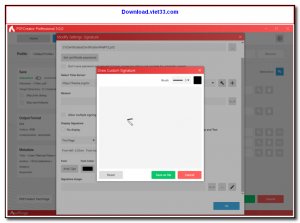
- Customizable metadata including author, title, and subject
- Free to use with no page limits or watermarks
How to Install
- Click the download button to get the PDFCreator installer.
- Run the installer and follow the on-screen setup steps.
- After installation, PDFCreator appears as a printer in your Windows printer list.
- Open any document or file, go to File > Print, and select PDFCreator as your printer.
- Click Print, choose your save location and filename, and click Save to create your PDF.
 Download Blueframe Web
16825 Downloads
Download Blueframe Web
16825 Downloads
 Download Hyena
17423 Downloads
Download Hyena
17423 Downloads
 Download Vtiger CRM
19070 Downloads
Download Vtiger CRM
19070 Downloads
 Download phpList
20339 Downloads
Download phpList
20339 Downloads
 Download Tabler
7126 Downloads
Download Tabler
7126 Downloads


