
Pascal XE is a free, modern Pascal IDE and compiler environment designed to make Pascal programming accessible to students, educators, and developers. It provides a clean, intuitive interface for writing, compiling, and debugging Pascal programs, making it an excellent tool for learning structured programming fundamentals.
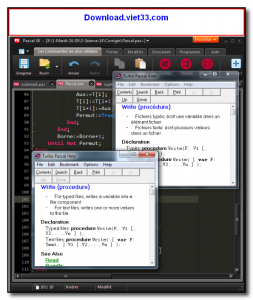
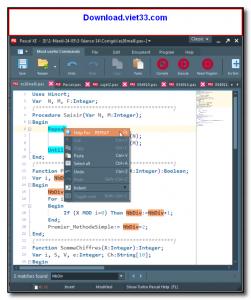
Built on top of the Free Pascal compiler, Pascal XE offers full support for standard Pascal syntax along with many modern extensions. Its editor includes syntax highlighting, code completion, and error highlighting to help beginners write correct code more efficiently.
Pascal XE is particularly popular in educational settings where Pascal is used to teach algorithmic thinking and programming basics before students move on to more complex languages. It runs on Windows and provides a straightforward, distraction-free environment focused on learning.
Key Features
- Clean IDE with Pascal syntax highlighting and code completion
- Integrated Free Pascal compiler for building and running programs
- Step-by-step debugger with variable inspection
- Error highlighting and inline compiler messages
- Supports standard Pascal and Object Pascal extensions
- Simple project management for single and multi-file programs
- Lightweight and easy to set up on Windows
How to Install
- Click the download button to get the Pascal XE installer.
- Run the installer and follow the on-screen setup instructions.
- Launch Pascal XE from the Start Menu or desktop shortcut.
- Create a new Pascal file from File > New and start writing your program.
- Press F9 or click Run to compile and execute your code, viewing output in the built-in console.
Frequently Asked Questions about Pascal XE
Is Pascal XE free?
Pascal XE is completely free to download and use — no registration or payment required.
What are the system requirements for Pascal XE?
Minimum requirements: Windows7,8,10,11. A modern PC with at least 2GB RAM is recommended.
What is the latest version of Pascal XE?
The latest version is 2.2.4, updated on 11/11/2025.
Is Pascal XE safe to download?
Yes. All software listed on download.viet33.com is sourced directly from the official developer and verified before publishing. No bundled adware or malware.
Does Pascal XE work on Windows 11?
Yes, Pascal XE is compatible with Windows7,8,10,11, including Windows 11.
 Download Office Deployment Tool
58 Downloads
Download Office Deployment Tool
58 Downloads
 Download AutoIt
19755 Downloads
Download AutoIt
19755 Downloads
 Download Construct 2
19673 Downloads
Download Construct 2
19673 Downloads
 Download AEdiX Suite
20328 Downloads
Download AEdiX Suite
20328 Downloads
 Download UltraEdit
20055 Downloads
Download UltraEdit
20055 Downloads


