
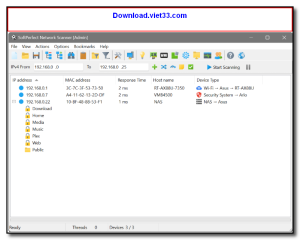
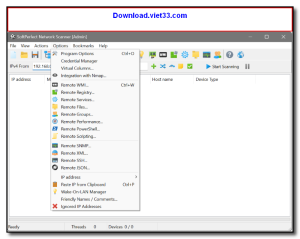
Network Scanner is a fast and comprehensive network discovery tool that maps every device connected to your local network. It quickly identifies IP addresses, MAC addresses, open ports, and device hostnames, giving you a complete picture of your network in seconds.
Designed for both IT professionals and home users, Network Scanner provides an intuitive interface that makes it easy to monitor connected devices, detect unauthorized access, and troubleshoot network issues without any complex configuration.
With real-time scanning and detailed device reports, Network Scanner is an essential utility for keeping your network secure, organized, and running efficiently.
Key Features
- Instantly discovers all devices on your local network (LAN/Wi-Fi)
- Displays IP address, MAC address, hostname, and device manufacturer
- Scans open TCP/UDP ports for each discovered device
- Detects unauthorized or unknown devices on your network
- Exports scan results to CSV, TXT, or HTML formats
- Supports scheduled automatic scans to monitor network changes
- Fast multi-threaded scanning engine for large networks
How to Install
- Click the download button above to get the Network Scanner setup file.
- Run the installer and follow the on-screen prompts to complete installation.
- Launch Network Scanner and enter your IP range or let it auto-detect.
- Click “Scan” to start discovering devices on your network.
- Review the results and export or save the report as needed.
 Download Revo Uninstaller Portable 2.7.0
18 Downloads
Download Revo Uninstaller Portable 2.7.0
18 Downloads
 Download FurMark 2.10.2
19 Downloads
Download FurMark 2.10.2
19 Downloads
 Download VMware Workstation Pro 26H1
17 Downloads
Download VMware Workstation Pro 26H1
17 Downloads
 Download CrystalDiskInfo 9.9.2
20 Downloads
Download CrystalDiskInfo 9.9.2
20 Downloads
 Download DirectX 12
15 Downloads
Download DirectX 12
15 Downloads

