
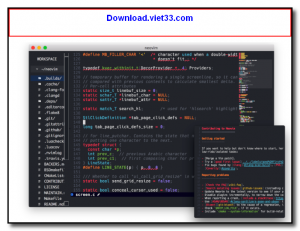
Neovim is a highly extensible, open-source text editor that builds upon the legendary Vim editor with a modernized architecture and first-class Lua scripting support. It is designed for developers who want the efficiency of Vim’s modal editing model combined with a rich plugin ecosystem and native Language Server Protocol (LSP) integration.
With Neovim, you can configure almost every aspect of your editing experience through Lua scripts, and the community has built thousands of plugins for everything from fuzzy file finding to Git integration, AI coding assistants, and beautiful UI themes. Its asynchronous job execution prevents the editor from freezing during long operations like linting or formatting.
Neovim runs in the terminal or as a GUI application via frontends like Neovide. It is cross-platform, running on Windows, macOS, and Linux, and is popular among developers who prioritize keyboard-driven workflows and fast, lightweight tooling.
Key Features
- Modal editing inherited from Vim for extremely efficient text manipulation
- Native LSP client for code completion, diagnostics, and go-to-definition
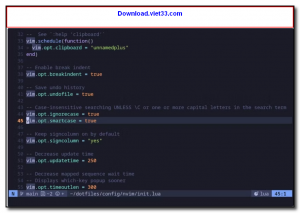
- First-class Lua scripting for fast and flexible configuration
- Asynchronous plugin execution preventing UI freezes
- Treesitter integration for accurate syntax highlighting
- Thousands of community plugins via lazy.nvim, packer.nvim, and others
- Cross-platform: Windows, macOS, and Linux
How to Install
- Click the download button to get the Neovim installer or binary for your platform.
- Run the installer or extract the archive and add Neovim to your system PATH.
- Launch Neovim by typing
nvimin your terminal. - Create a configuration file at
~/.config/nvim/init.lua(Linux/macOS) or%LOCALAPPDATA%\nvim\init.lua(Windows) to customize your setup. - Install a plugin manager like lazy.nvim to add themes, LSP configs, and productivity plugins.
 Download Office Deployment Tool
34 Downloads
Download Office Deployment Tool
34 Downloads
 Download AutoIt
19739 Downloads
Download AutoIt
19739 Downloads
 Download Construct 2
19645 Downloads
Download Construct 2
19645 Downloads
 Download AEdiX Suite
20315 Downloads
Download AEdiX Suite
20315 Downloads
 Download UltraEdit
20031 Downloads
Download UltraEdit
20031 Downloads


