
luckyBackup is a free, open-source backup and synchronization tool for Linux and Windows built on top of the powerful rsync utility. It provides a simple graphical interface for creating backup profiles, scheduling automatic backups, and managing file synchronization between local directories or remote servers via SSH.
With rsync at its core, luckyBackup performs incremental backups that only transfer changed files, making backups fast and bandwidth-efficient. It supports snapshot backups that keep multiple versions of your data over time, protecting you against accidental file deletion or corruption.
luckyBackup includes a dry-run simulation mode so you can preview exactly what will be backed up or synchronized before committing. Its task scheduler allows you to run backup jobs automatically at specified times without any manual intervention.
Key Features
- rsync-based incremental backups for fast and efficient data protection
- Snapshot backup support for keeping multiple historical versions
- Simple GUI for creating and managing backup profiles
- Remote backup via SSH to servers and NAS devices
- Dry-run simulation mode to preview changes before backup
- Built-in task scheduler for automatic timed backups
- Available for Linux and Windows
How to Install
- Click the download button to get the luckyBackup package for your platform.
- On Linux, install via your package manager (e.g.,
sudo apt install luckybackup) or from the downloaded package. - On Windows, run the installer and follow the setup instructions.
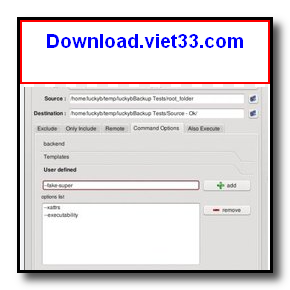
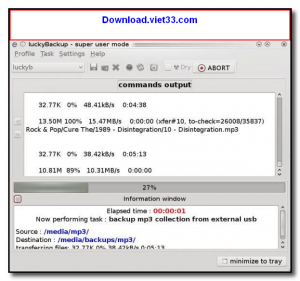
- Launch luckyBackup and click Add to create a new backup task.
- Set the source and destination directories, configure your options, and click Start to run the backup.
Frequently Asked Questions about luckyBackup
Is luckyBackup free?
luckyBackup is completely free to download and use — no registration or payment required.
What are the system requirements for luckyBackup?
Minimum requirements: Windows 7/10/11. A modern PC with at least 2GB RAM is recommended.
What is the latest version of luckyBackup?
The latest version is 0.5, updated on 13/11/2025.
Is luckyBackup safe to download?
Yes. All software listed on download.viet33.com is sourced directly from the official developer and verified before publishing. No bundled adware or malware.
Does luckyBackup work on Windows 11?
Yes, luckyBackup is compatible with Windows 7/10/11, including Windows 11.
 Download DesktopCalendar 2.3.108.5601
87 Downloads
Download DesktopCalendar 2.3.108.5601
87 Downloads
 Download Hard Disk Sentinel 6.40
73 Downloads
Download Hard Disk Sentinel 6.40
73 Downloads
 Download Windows 10
57 Downloads
Download Windows 10
57 Downloads
 Download Sound Booster 1.2
57 Downloads
Download Sound Booster 1.2
57 Downloads
 Download 3DP Chip 26.06
70 Downloads
Download 3DP Chip 26.06
70 Downloads


