
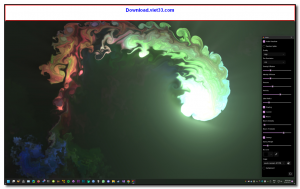
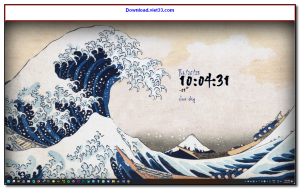
Lively Wallpaper is a free, open-source application for Windows that turns videos, GIFs, web pages, and shader animations into live interactive desktop wallpapers. It brings your desktop to life with dynamic, animated backgrounds while remaining lightweight and customizable to suit any style or preference.
Unlike static wallpapers, Lively Wallpaper lets you use local video files (MP4, WebM, etc.), YouTube URLs, Rainmeter-style HTML/CSS animations, or even interactive web pages as your wallpaper. The application automatically pauses wallpaper playback when you run full-screen applications or games to minimize performance impact.
Lively Wallpaper supports multiple monitors with independent wallpapers per display, hardware-accelerated rendering via DirectX/OpenGL, and a community wallpaper marketplace where users share their creations. It is a popular free alternative to Wallpaper Engine, fully open source and available directly from the Microsoft Store or GitHub.
Key Features
- Use videos, GIFs, HTML/CSS animations, shaders, and web pages as live desktop wallpapers.
- Play YouTube URLs and web content directly as interactive wallpapers.
- Multi-monitor support with independent wallpapers per display.
- Automatic pause when full-screen apps or games are running to save performance.
- Hardware-accelerated rendering for smooth playback with minimal CPU/GPU impact.
- Community wallpaper marketplace with downloadable user-created content.
- Free and open source under the GPL license, available on GitHub and Microsoft Store.
How to Install
- Download the Lively Wallpaper installer from the link below, or install directly from the Microsoft Store.
- Run the installer and follow the setup wizard to complete installation.
- Launch Lively Wallpaper from the Start Menu or system tray.
- Click the + button to add a wallpaper by browsing for a local file or pasting a URL.
- Select your wallpaper from the library and it will instantly set as your desktop background.
Frequently Asked Questions about Lively Wallpaper – Free Animated Live Wallpaper App for Windows
Is Lively Wallpaper – Free Animated Live Wallpaper App for Windows free?
Lively Wallpaper – Free Animated Live Wallpaper App for Windows is completely free to download and use — no registration or payment required.
What are the system requirements for Lively Wallpaper – Free Animated Live Wallpaper App for Windows?
Minimum requirements: Windows7,8,10,11. A modern PC with at least 2GB RAM is recommended.
What is the latest version of Lively Wallpaper – Free Animated Live Wallpaper App for Windows?
The latest version is 22509.9, updated on 20/09/2025.
Is Lively Wallpaper – Free Animated Live Wallpaper App for Windows safe to download?
Yes. All software listed on download.viet33.com is sourced directly from the official developer and verified before publishing. No bundled adware or malware.
Does Lively Wallpaper – Free Animated Live Wallpaper App for Windows work on Windows 11?
Yes, Lively Wallpaper – Free Animated Live Wallpaper App for Windows is compatible with Windows7,8,10,11, including Windows 11.
 Download DesktopCalendar 2.3.108.5601
87 Downloads
Download DesktopCalendar 2.3.108.5601
87 Downloads
 Download Hard Disk Sentinel 6.40
73 Downloads
Download Hard Disk Sentinel 6.40
73 Downloads
 Download Windows 10
57 Downloads
Download Windows 10
57 Downloads
 Download Sound Booster 1.2
57 Downloads
Download Sound Booster 1.2
57 Downloads
 Download 3DP Chip 26.06
70 Downloads
Download 3DP Chip 26.06
70 Downloads


