
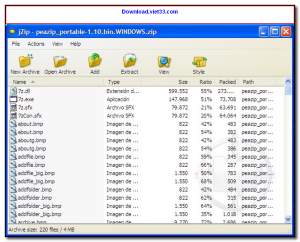
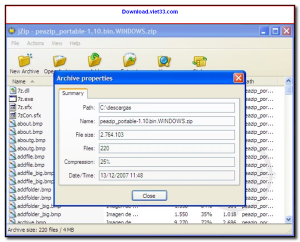
Download jZip and handle all your file compression and extraction needs with a fast, free, and easy-to-use archiving tool for Windows. jZip supports a wide range of archive formats and integrates directly into Windows Explorer, letting you compress and extract files with a simple right-click.
jZip is built on the proven 7-Zip engine, delivering excellent compression ratios while maintaining full compatibility with popular archive formats like ZIP, RAR, 7z, TAR, and more. Its clean interface makes it accessible for beginners while providing the performance that power users demand.
Whether you need to compress large files for email, extract downloaded archives, or create password-protected zip files, Download jZip provides a lightweight yet capable solution for everyday archiving tasks on Windows.
Key Features of jZip
- Create and extract ZIP, RAR, 7z, TAR, GZ, and other archive formats
- Windows Explorer integration for right-click compress and extract
- Password protection and AES-256 encryption for secure archives
- High compression ratio powered by the 7-Zip engine
- Split archive creation for distributing large files across multiple volumes
- Batch compression to archive multiple files or folders simultaneously
- Lightweight installer with minimal system resource usage
How to Install jZip
- Click the download button below to get the jZip installer.
- Run the setup file and follow the on-screen installation wizard.
- Accept the license agreement and choose your installation directory.
- Launch jZip from your desktop or use it via right-click in Explorer.
- Enjoy using jZip!
 Download Adobe Reader XI 11.0.23
11 Downloads
Download Adobe Reader XI 11.0.23
11 Downloads
 Download Microsoft Office 2016
15 Downloads
Download Microsoft Office 2016
15 Downloads
 Download UniKey 4.6 RC2
19 Downloads
Download UniKey 4.6 RC2
19 Downloads
 Download Microsoft Word
19 Downloads
Download Microsoft Word
19 Downloads
 Download Microsoft PowerPoint Version2024
17 Downloads
Download Microsoft PowerPoint Version2024
17 Downloads


