
If you want to download HeidiSQL, here’s what you should know before you do. It’s a free, open-source database front-end for Windows built by German developer Ansgar Becker, and it connects to MySQL, MariaDB, PostgreSQL, and Microsoft SQL Server from a single installer under 20MB.
Backend developers who need to poke at a production table without opening a terminal, and freelancers managing a client’s WordPress database over SSH, both lean on it daily. Version 12.21 ships a first attempt at a user manager for PostgreSQL and closes out several CVEs in the bundled libssl and libcrypto libraries.
Key Features of HeidiSQL
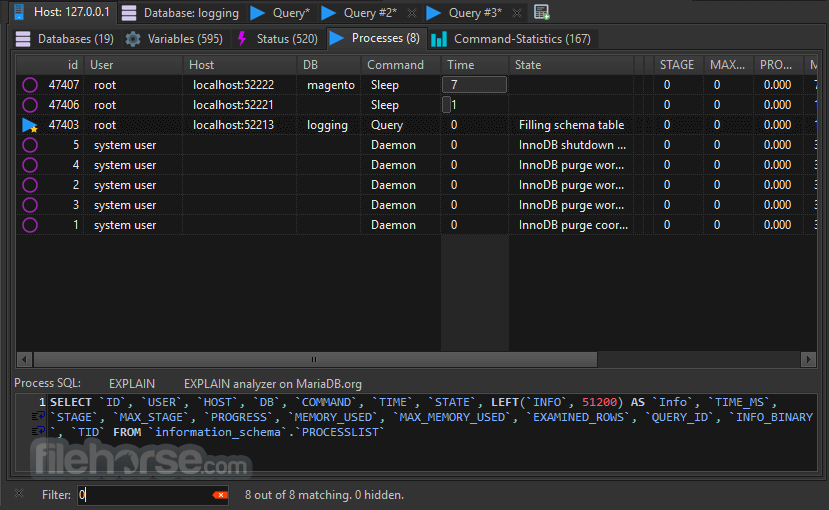
- Connects to MySQL, MariaDB, PostgreSQL, and SQL Server side by side, with saved sessions for switching between servers in a click.
- Runs a SQL query editor with syntax highlighting and auto-completion, now reordered in 12.21 so exact matches surface at the top of the list.
- Tunnels connections over SSH, so a remote database behind a firewall can be reached without opening its port to the internet.
- Synchronizes table structures and data between a local copy and a remote server, useful for pushing schema changes to staging.
- Exports and imports data as SQL, CSV, or XML, including full database dumps for backups.
- Shows index size as a colored bar next to each index in the tree, a change introduced in this release.
- Edits table structure, foreign keys, and stored procedures through a graphical dialog instead of hand-writing ALTER statements.
- Manages user privileges and roles from a GUI panel rather than the command line GRANT syntax.


How to Install HeidiSQL
- Download the HeidiSQL installer above.
- Run the Setup.exe file and follow the install wizard.
- Choose the database drivers you need — MySQL, MariaDB, PostgreSQL, or SQL Server.
- Open HeidiSQL and create a new session with your server’s hostname, username, and password.
- Test the connection, then save the session for future use.
Enjoy using HeidiSQL!
Frequently Asked Questions about HeidiSQL 12.21
Is HeidiSQL 12.21 free?
HeidiSQL 12.21 is completely free to download and use — no registration or payment required.
What are the system requirements for HeidiSQL 12.21?
Minimum requirements: Windows 7/10/11. A modern PC with at least 2GB RAM is recommended.
What is the latest version of HeidiSQL 12.21?
The latest version is 12.21, updated on 18/08/2026.
Is HeidiSQL 12.21 safe to download?
Yes. All software listed on download.viet33.com is sourced directly from the official developer and verified before publishing. No bundled adware or malware.
Does HeidiSQL 12.21 work on Windows 11?
Yes, HeidiSQL 12.21 is compatible with Windows 7/10/11, including Windows 11.
 Download Postman 12.23.1
4 Downloads
Download Postman 12.23.1
4 Downloads
 Download Office Deployment Tool
72 Downloads
Download Office Deployment Tool
72 Downloads
 Download AutoIt
19765 Downloads
Download AutoIt
19765 Downloads
 Download Construct 2
19682 Downloads
Download Construct 2
19682 Downloads
 Download AEdiX Suite
20340 Downloads
Download AEdiX Suite
20340 Downloads


