
Greenshot is a free, open-source screenshot tool for Windows that makes capturing and annotating screen content fast and intuitive. With a simple keyboard shortcut, you can capture the full screen, a selected region, a specific window, or even a scrolling webpage — and immediately edit, annotate, and share the result.
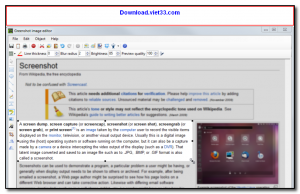
Greenshot’s built-in image editor lets you add arrows, text, highlights, obfuscation (blur), and shapes to your screenshots before exporting. You can save directly to file, copy to clipboard, send to an image editor, email the screenshot, or upload it to a cloud service — all from the same workflow without switching applications.
Lightweight and unobtrusive, Greenshot runs silently in the system tray and is ready at all times via configurable hotkeys. It is a favorite among support staff, developers, bloggers, and anyone who frequently needs to capture and share visual information from their screen.
Key Features
- Capture full screen, region, active window, or scrolling web page with a hotkey
- Built-in image editor with arrows, text, highlights, blur/obfuscate, and shapes
- One-click export to file, clipboard, email, printer, or cloud services
- Plugin support for uploading to Imgur, Dropbox, Confluence, Jira, and more
- Configurable keyboard shortcuts for each capture mode
- Runs in the system tray with minimal resource usage
- Free and open-source for Windows
How to Install
- Click the download button below to get the Greenshot installer for Windows.
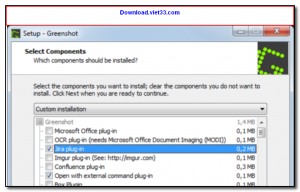
- Run the installer and follow the setup steps — Greenshot starts automatically in the system tray.
- Press PrtScn to capture a region, Alt+PrtScn for the active window, or Ctrl+PrtScn for the full screen.
- The screenshot opens in the editor — add annotations, then save or share.
- Right-click the Greenshot tray icon to configure hotkeys, export destinations, and plugins.
Frequently Asked Questions about Greenshot – Free Screenshot Tool with Built-In Annotation Editor
Is Greenshot – Free Screenshot Tool with Built-In Annotation Editor free?
Greenshot – Free Screenshot Tool with Built-In Annotation Editor is completely free to download and use — no registration or payment required.
What are the system requirements for Greenshot – Free Screenshot Tool with Built-In Annotation Editor?
Minimum requirements: Windows7,8,10,11. A modern PC with at least 2GB RAM is recommended.
What is the latest version of Greenshot – Free Screenshot Tool with Built-In Annotation Editor?
The latest version is 1.3.301, updated on 10/10/2025.
Is Greenshot – Free Screenshot Tool with Built-In Annotation Editor safe to download?
Yes. All software listed on download.viet33.com is sourced directly from the official developer and verified before publishing. No bundled adware or malware.
Does Greenshot – Free Screenshot Tool with Built-In Annotation Editor work on Windows 11?
Yes, Greenshot – Free Screenshot Tool with Built-In Annotation Editor is compatible with Windows7,8,10,11, including Windows 11.
 Download DesktopCalendar 2.3.108.5601
87 Downloads
Download DesktopCalendar 2.3.108.5601
87 Downloads
 Download Hard Disk Sentinel 6.40
73 Downloads
Download Hard Disk Sentinel 6.40
73 Downloads
 Download Windows 10
57 Downloads
Download Windows 10
57 Downloads
 Download Sound Booster 1.2
57 Downloads
Download Sound Booster 1.2
57 Downloads
 Download 3DP Chip 26.06
70 Downloads
Download 3DP Chip 26.06
70 Downloads


