
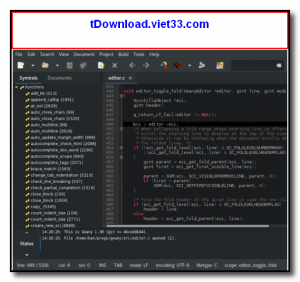
Geany is a lightweight, fast, and feature-rich source code editor that doubles as a basic Integrated Development Environment (IDE). Built on the GTK toolkit, it is available for Windows, Linux, and macOS, and is designed to load quickly and remain responsive even on older or low-powered hardware.
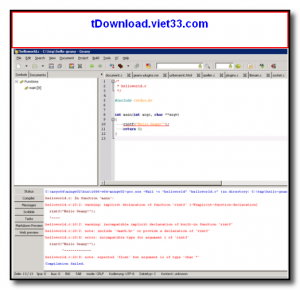
Despite its small footprint, Geany supports syntax highlighting for over 50 programming and markup languages including C, C++, Python, PHP, JavaScript, HTML, CSS, Java, Rust, and many more. It includes a built-in terminal, a symbol browser, code completion, auto-indentation, and a project manager — giving you most of what you need for daily coding without the heavy resource demands of a full IDE.
Geany is extensible through a rich plugin ecosystem, allowing you to add features like version control integration, snippet management, file tree browsing, and much more. It is the go-to editor for developers who want a fast, capable tool that stays out of the way.
Key Features
- Syntax highlighting for 50+ languages including C, Python, PHP, JavaScript, HTML, and more
- Code completion, auto-indentation, and brace matching for faster, error-free coding
- Built-in symbol browser to navigate functions, classes, and variables across your project
- Integrated terminal emulator for running commands without leaving the editor
- Project manager for organizing and switching between multiple codebases
- Extensible through dozens of community plugins available via the Geany Plugins project
- Lightweight and fast — starts in under a second and runs well on all hardware
How to Install
- Click the download button below to get the Geany installer for your operating system.
- On Windows, run the .exe installer and follow the setup steps to complete installation.
- On Linux, install via your package manager:
sudo apt install geany - On macOS, install via Homebrew:
brew install geany - Launch Geany, open or create a file, and select your language from the Document menu to enable syntax highlighting.
Frequently Asked Questions about Geany – Lightweight and Fast Source Code Editor and IDE
Is Geany – Lightweight and Fast Source Code Editor and IDE free?
Geany – Lightweight and Fast Source Code Editor and IDE is completely free to download and use — no registration or payment required.
What are the system requirements for Geany – Lightweight and Fast Source Code Editor and IDE?
Minimum requirements: Windows7,8,10,11. A modern PC with at least 2GB RAM is recommended.
What is the latest version of Geany – Lightweight and Fast Source Code Editor and IDE?
The latest version is 2.1, updated on 24/10/2025.
Is Geany – Lightweight and Fast Source Code Editor and IDE safe to download?
Yes. All software listed on download.viet33.com is sourced directly from the official developer and verified before publishing. No bundled adware or malware.
Does Geany – Lightweight and Fast Source Code Editor and IDE work on Windows 11?
Yes, Geany – Lightweight and Fast Source Code Editor and IDE is compatible with Windows7,8,10,11, including Windows 11.
 Download Office Deployment Tool
58 Downloads
Download Office Deployment Tool
58 Downloads
 Download AutoIt
19755 Downloads
Download AutoIt
19755 Downloads
 Download Construct 2
19673 Downloads
Download Construct 2
19673 Downloads
 Download AEdiX Suite
20328 Downloads
Download AEdiX Suite
20328 Downloads
 Download UltraEdit
20055 Downloads
Download UltraEdit
20055 Downloads


