
foobar2000 is the kind of tool people seek out when the stock Windows Media Player or a bloated all-in-one suite stops feeling worth it, and downloading it takes under a minute. Developer Peter Pawlowski has kept it going since 2002 as a component-based player, so the base install is a few megabytes and everything from visualizations to format support gets added only if you want it.
People ripping CDs, running large FLAC libraries, or streaming audio to another room over a home network tend to be the ones who stick with it after trying something flashier first.
Key Features of foobar2000
Once you download foobar2000, the component system opens up:
- Decodes MP3, FLAC, WavPack, Monkey’s Audio, Opus, AAC, and more than a dozen other formats without hunting down separate codec packs.
- A built-in UPnP media renderer lets other foobar2000 instances or UPnP-aware devices on the same network act as output targets.
- Gapless playback across supported formats, refined further in this release specifically for UPnP streams.
- ReplayGain scanning normalizes volume across an entire library so tracks do not jump in loudness between albums.
- A built-in Converter batch-transcodes between formats with custom encoder profiles, including FLAC, MP3, and Opus.
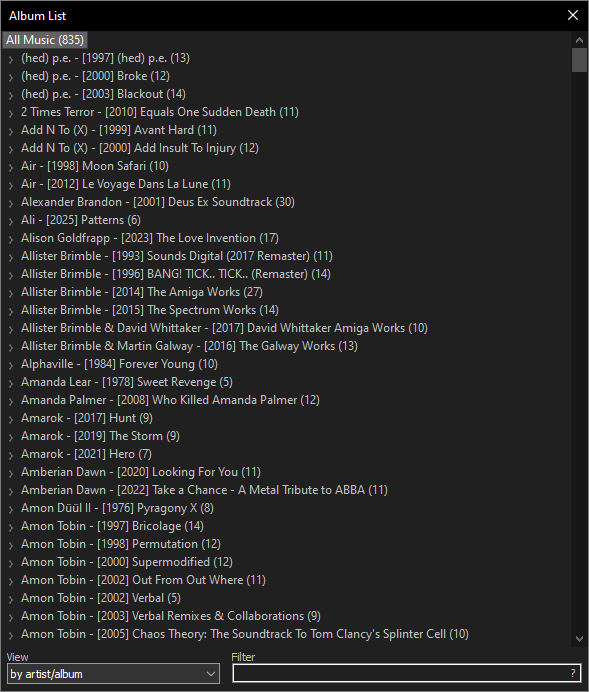
- Media Library indexes local folders as well as FTP, WebDAV, and SMB network shares directly.
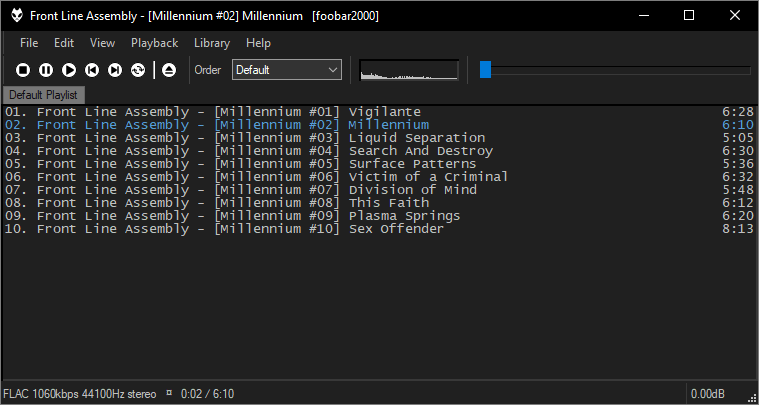
- Column-based playlist views and an optional dark mode keep the interface readable on modern high-DPI displays.
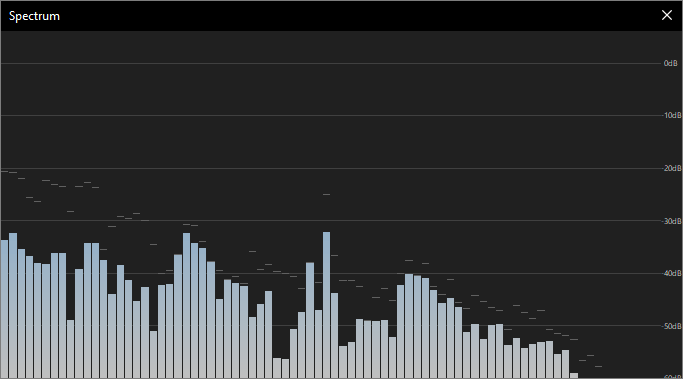
- Thousands of third-party components extend it with equalizers, visualizations, and alternate skins through the Components page.
Screenshot / Demo
How to Install foobar2000
Installing foobar2000 on Windows is a quick, no-frills process.
- Download the installer from the official foobar2000.org Windows page.
- Run the .exe and accept the default component selection unless you need something specific.
- Launch foobar2000 and use File then Add Folder to index your music library.
- Open Preferences to set up ReplayGain, output device, or UPnP options.
- Right-click any track to explore Converter, tagging, and playlist tools.
Enjoy using foobar2000!
Frequently Asked Questions about foobar2000 2.25.10
Is foobar2000 2.25.10 free?
foobar2000 2.25.10 is completely free to download and use — no registration or payment required.
What are the system requirements for foobar2000 2.25.10?
Minimum requirements: Windows 7/10/11. A modern PC with at least 2GB RAM is recommended.
What is the latest version of foobar2000 2.25.10?
The latest version is 2.25.10, updated on 17/08/2026.
Is foobar2000 2.25.10 safe to download?
Yes. All software listed on download.viet33.com is sourced directly from the official developer and verified before publishing. No bundled adware or malware.
Does foobar2000 2.25.10 work on Windows 11?
Yes, foobar2000 2.25.10 is compatible with Windows 7/10/11, including Windows 11.
 Download Sound Booster 1.2
72 Downloads
Download Sound Booster 1.2
72 Downloads
 Download Magic Camera 8.9
58 Downloads
Download Magic Camera 8.9
58 Downloads
 Download ffdshow – Flexible Video and Audio Decoder and Post-Processing Filter
6266 Downloads
Download ffdshow – Flexible Video and Audio Decoder and Post-Processing Filter
6266 Downloads
 Download MPC-BE – Powerful and Lightweight Free Media Player
6261 Downloads
Download MPC-BE – Powerful and Lightweight Free Media Player
6261 Downloads
 Download Shotcut – Free Open-Source Video Editor for Windows
6228 Downloads
Download Shotcut – Free Open-Source Video Editor for Windows
6228 Downloads


