
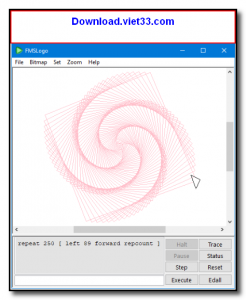
FMSLogo is a free, open-source implementation of the Logo programming language for Windows, designed to teach programming concepts to children and beginners through interactive turtle graphics. Based on the classic MIT Logo language, FMSLogo allows users to control an on-screen “turtle” by typing simple commands, instantly seeing the graphical results of their code.
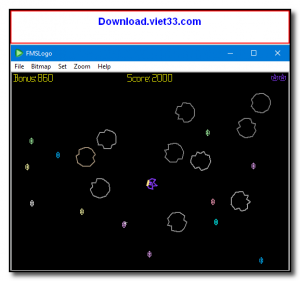
FMSLogo extends the traditional Logo language with additional features including multi-threading, 3D graphics support, GUI widget creation, MIDI music playback, serial port communication, and network socket programming — making it surprisingly powerful despite its educational focus. Teachers and students worldwide use FMSLogo to introduce algorithmic thinking, geometry, recursion, and procedural programming in an engaging visual environment.
The software includes a built-in editor, command history, and an extensive help system that makes it accessible to absolute beginners. Its active development history spanning decades ensures compatibility with modern Windows versions while preserving the simplicity that makes Logo so effective as a teaching tool.
Key Features
- Interactive turtle graphics for learning programming through visual drawing commands.
- Full Logo language implementation with procedures, recursion, and list processing.
- 3D graphics support and multiple turtle objects for advanced projects.
- Multi-threading capabilities for parallel program execution.
- GUI widget creation: buttons, sliders, and scroll bars from Logo code.
- MIDI music support and serial port communication for hardware projects.
- Free and open source — ideal for classrooms and self-paced learning.
How to Install
- Download the FMSLogo installer from the link below.
- Run the fmslogo-setup.exe installer and follow the on-screen instructions.
- Launch FMSLogo from the Start Menu or desktop shortcut.
- Type Logo commands in the input box at the bottom (e.g., FORWARD 100 RIGHT 90) and press Enter to see the turtle draw.
- Open the editor via File → Edit to write and save multi-line Logo programs.
Frequently Asked Questions about FMSLogo – Free Logo Programming Environment for Learning to Code
Is FMSLogo – Free Logo Programming Environment for Learning to Code free?
FMSLogo – Free Logo Programming Environment for Learning to Code is completely free to download and use — no registration or payment required.
What are the system requirements for FMSLogo – Free Logo Programming Environment for Learning to Code?
Minimum requirements: Windows7,8,10,11. A modern PC with at least 2GB RAM is recommended.
What is the latest version of FMSLogo – Free Logo Programming Environment for Learning to Code?
The latest version is 8.0.4, updated on 29/09/2025.
Is FMSLogo – Free Logo Programming Environment for Learning to Code safe to download?
Yes. All software listed on download.viet33.com is sourced directly from the official developer and verified before publishing. No bundled adware or malware.
Does FMSLogo – Free Logo Programming Environment for Learning to Code work on Windows 11?
Yes, FMSLogo – Free Logo Programming Environment for Learning to Code is compatible with Windows7,8,10,11, including Windows 11.
 Download Office Deployment Tool
58 Downloads
Download Office Deployment Tool
58 Downloads
 Download AutoIt
19755 Downloads
Download AutoIt
19755 Downloads
 Download Construct 2
19673 Downloads
Download Construct 2
19673 Downloads
 Download AEdiX Suite
20328 Downloads
Download AEdiX Suite
20328 Downloads
 Download UltraEdit
20055 Downloads
Download UltraEdit
20055 Downloads


