
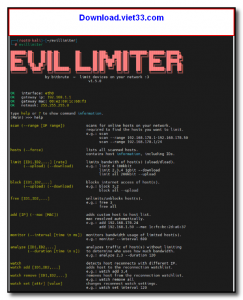
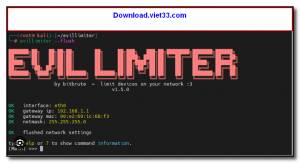
EVIL LIMITER is a powerful network bandwidth management tool designed for network administrators who need precise control over internet traffic on their local network. It allows you to monitor connected devices, throttle bandwidth, and even block internet access for specific clients — all from an intuitive graphical interface.
Built on top of advanced traffic shaping technology, EVIL LIMITER works seamlessly on Windows and lets administrators impose upload and download speed limits on any device connected to the same network. Whether you’re managing a home network or a small office, this tool gives you the power to prioritize bandwidth where it matters most.
With real-time monitoring and easy-to-use controls, EVIL LIMITER is an essential utility for anyone who needs to prevent bandwidth hogs from slowing down shared connections. It requires no complex configuration — just scan, select, and limit.
Key Features
- Scan and display all devices connected to the local network with IP and MAC address details.
- Set custom upload and download speed limits for individual devices or groups.
- Block internet access entirely for selected devices with a single click.
- Real-time traffic monitoring with live bandwidth usage statistics per device.
- Lightweight and portable — no installation required, runs directly from the executable.
- Supports ARP-based traffic shaping compatible with most routers and network setups.
- Simple, clean interface suitable for both beginners and experienced network administrators.
How to Install
- Download the EVIL LIMITER ZIP archive from the link below.
- Extract the contents to a folder of your choice.
- Run the EvilLimiter.exe file as Administrator (right-click → Run as administrator).
- Allow the application through Windows Firewall if prompted.
- Scan your network, select a device, and start managing bandwidth immediately.
Frequently Asked Questions about EVIL LIMITER – Network Bandwidth Control Tool for Administrators
Is EVIL LIMITER – Network Bandwidth Control Tool for Administrators free?
EVIL LIMITER – Network Bandwidth Control Tool for Administrators is completely free to download and use — no registration or payment required.
What are the system requirements for EVIL LIMITER – Network Bandwidth Control Tool for Administrators?
Minimum requirements: Windows 7/10/11. A modern PC with at least 2GB RAM is recommended.
What is the latest version of EVIL LIMITER – Network Bandwidth Control Tool for Administrators?
The latest version is 1.5.0, updated on 09/10/2025.
Is EVIL LIMITER – Network Bandwidth Control Tool for Administrators safe to download?
Yes. All software listed on download.viet33.com is sourced directly from the official developer and verified before publishing. No bundled adware or malware.
Does EVIL LIMITER – Network Bandwidth Control Tool for Administrators work on Windows 11?
Yes, EVIL LIMITER – Network Bandwidth Control Tool for Administrators is compatible with Windows 7/10/11, including Windows 11.
 Download DesktopCalendar 2.3.108.5601
87 Downloads
Download DesktopCalendar 2.3.108.5601
87 Downloads
 Download Hard Disk Sentinel 6.40
73 Downloads
Download Hard Disk Sentinel 6.40
73 Downloads
 Download Windows 10
57 Downloads
Download Windows 10
57 Downloads
 Download Sound Booster 1.2
57 Downloads
Download Sound Booster 1.2
57 Downloads
 Download 3DP Chip 26.06
70 Downloads
Download 3DP Chip 26.06
70 Downloads


