
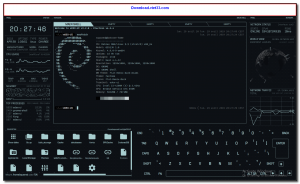
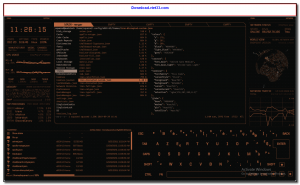
eDEX-UI is a free, open-source fullscreen terminal emulator with a stunning sci-fi interface inspired by the DEX-UI from the TRON Legacy film. It transforms your screen into a futuristic command center, displaying a fully functional terminal alongside real-time system monitoring panels showing CPU, memory, disk, network statistics, and a stylized on-screen keyboard.
Despite its dramatic visual design, eDEX-UI is a real, fully functional terminal emulator built with Electron and xterm.js. It supports tabbed terminal sessions, custom themes, and all standard terminal functionality, making it usable as an actual daily-driver terminal for power users who want a visually striking environment.
eDEX-UI is particularly popular among developers, streamers, and enthusiasts who want to make their setup stand out. It runs on Windows, Linux, and macOS, and supports customizable themes and layouts. While not designed for minimal-resource environments, it makes for an impressive showcase and a genuinely functional terminal experience.
Key Features
- Fullscreen sci-fi terminal interface with real-time system monitoring panels.
- Fully functional terminal emulator powered by xterm.js with tabbed sessions.
- Live displays of CPU usage, memory, disk, network, and running processes.
- Animated on-screen keyboard with visual key press feedback.
- Customizable themes and color schemes for personalized sci-fi aesthetics.
- Cross-platform: available for Windows, Linux, and macOS.
- Free and open source under the GNU GPL license on GitHub.
How to Install
- Download the eDEX-UI installer or portable package for your operating system from the link below.
- On Windows, run the .exe installer or extract the portable ZIP.
- On Linux, make the AppImage executable: chmod +x eDEX-UI.AppImage and run it.
- On macOS, open the .dmg and drag eDEX-UI to your Applications folder.
- Launch eDEX-UI to enter the sci-fi terminal environment and start using the built-in terminal tabs.
Frequently Asked Questions about eDEX-UI – Sci-Fi Fullscreen Terminal Emulator with System Monitor
Is eDEX-UI – Sci-Fi Fullscreen Terminal Emulator with System Monitor free?
eDEX-UI – Sci-Fi Fullscreen Terminal Emulator with System Monitor is completely free to download and use — no registration or payment required.
What are the system requirements for eDEX-UI – Sci-Fi Fullscreen Terminal Emulator with System Monitor?
Minimum requirements: Windows7,8,10,11. A modern PC with at least 2GB RAM is recommended.
What is the latest version of eDEX-UI – Sci-Fi Fullscreen Terminal Emulator with System Monitor?
The latest version is 2.2.8.0, updated on 12/09/2025.
Is eDEX-UI – Sci-Fi Fullscreen Terminal Emulator with System Monitor safe to download?
Yes. All software listed on download.viet33.com is sourced directly from the official developer and verified before publishing. No bundled adware or malware.
Does eDEX-UI – Sci-Fi Fullscreen Terminal Emulator with System Monitor work on Windows 11?
Yes, eDEX-UI – Sci-Fi Fullscreen Terminal Emulator with System Monitor is compatible with Windows7,8,10,11, including Windows 11.
 Download DesktopCalendar 2.3.108.5601
87 Downloads
Download DesktopCalendar 2.3.108.5601
87 Downloads
 Download Hard Disk Sentinel 6.40
73 Downloads
Download Hard Disk Sentinel 6.40
73 Downloads
 Download Windows 10
57 Downloads
Download Windows 10
57 Downloads
 Download Sound Booster 1.2
57 Downloads
Download Sound Booster 1.2
57 Downloads
 Download 3DP Chip 26.06
70 Downloads
Download 3DP Chip 26.06
70 Downloads


