
dnSpy is a free, open-source .NET assembly editor, decompiler, and debugger that allows developers and reverse engineers to inspect, modify, and debug .NET assemblies without access to the original source code. It is one of the most powerful tools in the .NET ecosystem for analyzing compiled applications, fixing bugs in third-party libraries, and understanding the internals of .NET software.
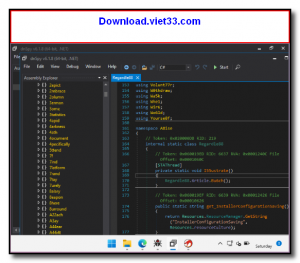
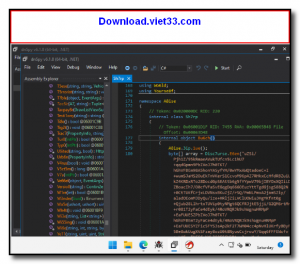
Built on the ILSpy decompiler engine, dnSpy can decompile .NET assemblies back to readable C# or Visual Basic code with high accuracy. Its integrated debugger supports setting breakpoints, stepping through decompiled code, inspecting variables, and modifying runtime values, all without needing a project file or source code.
dnSpy also supports editing assemblies directly at the IL (Intermediate Language) level or by modifying decompiled C# code, making it invaluable for patching, modding, and reverse engineering .NET applications. It works with .NET Framework, .NET Core, .NET 5+, and Unity game assemblies.
Key Features
- Decompile .NET assemblies to readable C# and Visual Basic code with high accuracy.
- Integrated debugger with breakpoints, step execution, variable inspection, and call stack.
- Edit assemblies at the IL level or via decompiled C# code without original source.
- Supports .NET Framework, .NET Core, .NET 5/6/7/8, and Unity game assemblies.
- Search across all open assemblies for types, methods, fields, and string literals.
- Analyze references and call hierarchies to understand code structure.
- Open source, previously under MIT license (now archived), widely used in the .NET community.
How to Install
- Download the dnSpy ZIP archive for your system (x64 or x86) from the link below.
- Extract the archive to a folder of your choice, no installation required.
- Run dnSpy.exe to launch the application.
- Go to File → Open to load a .NET DLL or EXE assembly for inspection.
- Browse the assembly tree, double-click any method to view decompiled code, and use Debug → Start Debugging to attach the debugger.
Frequently Asked Questions about dnSpy – Free .NET Assembly Decompiler, Editor, and Debugger
Is dnSpy – Free .NET Assembly Decompiler, Editor, and Debugger free?
dnSpy – Free .NET Assembly Decompiler, Editor, and Debugger is completely free to download and use — no registration or payment required.
What are the system requirements for dnSpy – Free .NET Assembly Decompiler, Editor, and Debugger?
Minimum requirements: Windows7,8,10,11. A modern PC with at least 2GB RAM is recommended.
What is the latest version of dnSpy – Free .NET Assembly Decompiler, Editor, and Debugger?
Check the version info box at the top of this page for the current release.
Is dnSpy – Free .NET Assembly Decompiler, Editor, and Debugger safe to download?
Yes. All software listed on download.viet33.com is sourced directly from the official developer and verified before publishing. No bundled adware or malware.
Does dnSpy – Free .NET Assembly Decompiler, Editor, and Debugger work on Windows 11?
Yes, dnSpy – Free .NET Assembly Decompiler, Editor, and Debugger is compatible with Windows7,8,10,11, including Windows 11.
 Download Office Deployment Tool
58 Downloads
Download Office Deployment Tool
58 Downloads
 Download AutoIt
19755 Downloads
Download AutoIt
19755 Downloads
 Download Construct 2
19673 Downloads
Download Construct 2
19673 Downloads
 Download AEdiX Suite
20328 Downloads
Download AEdiX Suite
20328 Downloads
 Download UltraEdit
20055 Downloads
Download UltraEdit
20055 Downloads


