
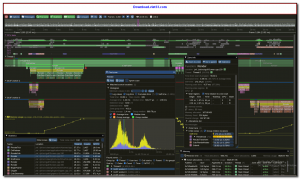
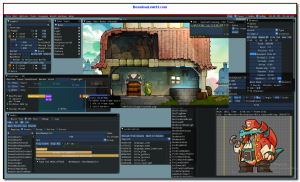
Dear ImGui (also known as ImGui) is a bloat-free graphical user interface library for C++ that outputs vertex buffers and command lists that can be rendered by any application with GPU-rendering capabilities. It is designed to enable fast iteration in debug tools, game development, simulations, and any application that needs a lightweight, portable GUI.
The library is self-contained with no external dependencies beyond a C++ compiler. It follows the immediate mode GUI paradigm, meaning the UI is described procedurally each frame rather than through a retained widget hierarchy. This makes Dear ImGui exceptionally easy to integrate, customize, and iterate on without the overhead of traditional GUI frameworks.
Dear ImGui is trusted by major game studios, tool developers, and indie developers worldwide. It integrates with virtually any renderer including DirectX, OpenGL, Vulkan, Metal, and WebGPU through a rich set of official and community backends.
Key Features
- Immediate mode GUI paradigm — describe the UI procedurally each frame with minimal boilerplate.
- No external dependencies — single-header design with optional backend files for rendering integration.
- Supports DirectX 9/10/11/12, OpenGL, Vulkan, Metal, WebGPU, and more via official backends.
- Rich set of built-in widgets: sliders, buttons, text inputs, color pickers, tree nodes, tables, and more.
- Dockable windows, multi-viewport support, and customizable themes and styles.
- Built-in demo window showing all available widgets — ideal for rapid prototyping.
- Open source under the MIT license — free for both personal and commercial use.
How to Install
- Download the Dear ImGui ZIP archive or clone the repository from the link below.
- Copy the core .h and .cpp source files into your project directory.
- Add the appropriate backend files for your renderer (e.g., imgui_impl_opengl3.cpp) and platform (e.g., imgui_impl_glfw.cpp).
- Include imgui.h in your source files and call ImGui::NewFrame(), build your UI, then ImGui::Render() each frame.
- Refer to the examples/ folder for complete integration samples for each supported backend.
Frequently Asked Questions about Dear ImGui – Lightweight Immediate Mode GUI Library for C++
Is Dear ImGui – Lightweight Immediate Mode GUI Library for C++ free?
Dear ImGui – Lightweight Immediate Mode GUI Library for C++ is completely free to download and use — no registration or payment required.
What are the system requirements for Dear ImGui – Lightweight Immediate Mode GUI Library for C++?
Minimum requirements: Windows 7/10/11. A modern PC with at least 2GB RAM is recommended.
What is the latest version of Dear ImGui – Lightweight Immediate Mode GUI Library for C++?
The latest version is 1.92.3, updated on 08/10/2025.
Is Dear ImGui – Lightweight Immediate Mode GUI Library for C++ safe to download?
Yes. All software listed on download.viet33.com is sourced directly from the official developer and verified before publishing. No bundled adware or malware.
Does Dear ImGui – Lightweight Immediate Mode GUI Library for C++ work on Windows 11?
Yes, Dear ImGui – Lightweight Immediate Mode GUI Library for C++ is compatible with Windows 7/10/11, including Windows 11.
 Download Office Deployment Tool
58 Downloads
Download Office Deployment Tool
58 Downloads
 Download AutoIt
19755 Downloads
Download AutoIt
19755 Downloads
 Download Construct 2
19673 Downloads
Download Construct 2
19673 Downloads
 Download AEdiX Suite
20328 Downloads
Download AEdiX Suite
20328 Downloads
 Download UltraEdit
20055 Downloads
Download UltraEdit
20055 Downloads


